


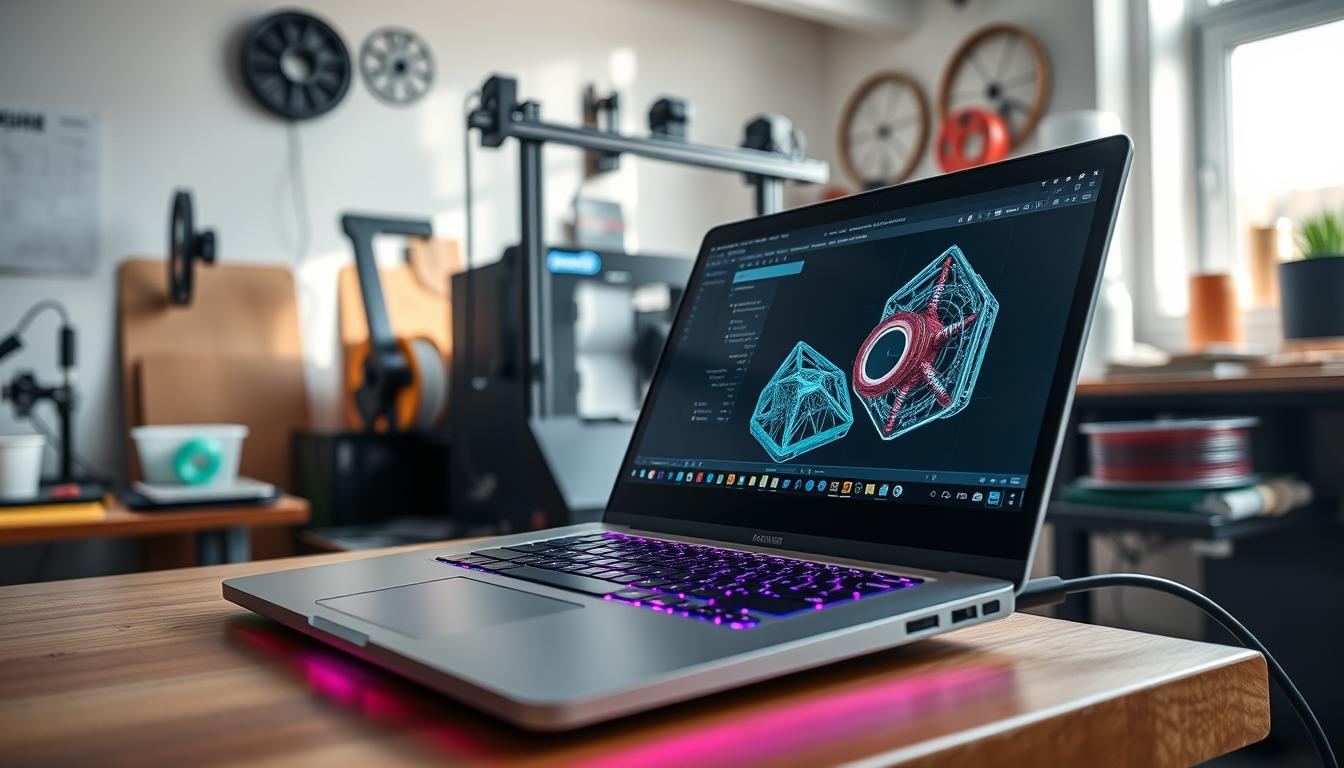
As a professional in the 3D printing industry, I’m often asked about the best laptops for 3D printing. With the increasing complexity of 3D models and the demands of CAD design software, choosing the right laptop is crucial for success.
I recall a project where a team struggled with lagging software and inadequate processing power, resulting in delayed project timelines. This experience highlighted the importance of a capable laptop for 3D printing.
To help you make an informed decision, I’ll share my expertise on the key hardware specifications and software requirements for 3D printing laptops. Whether you’re a seasoned professional or just starting out, this guide will walk you through the essential factors to consider.
Key Takeaways
- Key hardware specifications for 3D printing laptops
- Popular software requirements for CAD design and slicing
- Top recommendations for 3D printing enthusiasts
- Factors to consider when choosing a laptop for 3D printing
- Tips for optimizing laptop performance for 3D printing
Why Specialized Laptops Matter for 3D Printing
For those involved in 3D printing, the importance of a specialized laptop cannot be overstated. I’ve worked on numerous projects that required extensive 3D modeling and slicing, and the right laptop made a significant difference in performance and productivity.
The Demands of 3D Modeling Software
3D modeling software is a critical tool in the 3D printing process, requiring a laptop that can handle complex geometries and high-resolution models. Key demands include:
- High processing power to handle intricate designs
- Adequate RAM to ensure smooth operation
- A capable graphics card for rendering
Slicing Software Performance Requirements
Slicing software is another crucial component, converting 3D models into printable G-code. For efficient slicing, a laptop needs:
- A multi-core processor for faster processing
- Sufficient storage for handling large files
- A robust cooling system to prevent overheating during prolonged use
Key Hardware Specifications for 3D Printing Laptops
Selecting a laptop for 3D printing requires careful consideration of several key hardware components. The complexity of 3D modeling and printing demands a laptop that can handle intensive computational tasks, multitasking, and graphics rendering.
Processor Requirements
A fast processor is the backbone of any 3D printing laptop. I recommend at least a quad-core processor, such as Intel Core i7 or AMD Ryzen 7, to handle complex calculations and multitasking efficiently. This ensures that your laptop can manage demanding tasks like 3D modeling and slicing.
RAM and Storage Considerations
Sufficient RAM and storage are crucial for smooth performance. I suggest a minimum of 16GB RAM, with 32GB or more being ideal for handling large 3D models and multiple applications simultaneously. For storage, a 512GB or larger SSD is recommended to store your operating system, software, and 3D models, ensuring fast access and processing.
Graphics Card Importance
A dedicated graphics card is essential for 3D printing laptops, especially when working with graphics-intensive software. NVIDIA GeForce or Quadro graphics cards are preferred for their performance in rendering 3D models and handling GPU-accelerated tasks. A strong graphics card significantly enhances the overall performance and user experience.
Popular 3D Printing Software and Their System Requirements
Different 3D printing applications have unique system requirements that can impact performance. To ensure smooth operation, it’s crucial to understand the demands of the software you use.
Cura System Requirements
Cura, a widely used slicing software, requires a laptop with a decent processor and sufficient RAM to handle complex models efficiently. A minimum of 8GB RAM is recommended, but 16GB or more is ideal for larger projects.
PrusaSlicer Hardware Needs
PrusaSlicer, another popular choice among 3D printing enthusiasts, demands a more powerful processor and ample storage. For optimal performance, a laptop with a multi-core processor and at least 16GB of RAM is suggested.
CAD Software Requirements
CAD software, used for designing 3D models, requires a laptop with a strong graphics card and sufficient storage. A dedicated NVIDIA or AMD graphics card is recommended, along with at least 32GB of RAM for complex designs.
By understanding the system requirements of your 3D printing software, you can choose a laptop that meets your needs, ensuring efficient and high-quality prints.
Best Laptops for 3D Printing: Our Selection Criteria
To identify top laptops for 3D printing, I considered several key factors that impact performance and user experience. The selection process involves a comprehensive evaluation of hardware specifications, software compatibility, and price-to-performance ratios.
How We Evaluated Performance
Performance evaluation is crucial when selecting laptops for 3D printing. Key considerations include:
- Processor Speed: A fast processor is essential for handling demanding 3D modeling software.
- RAM and Storage: Adequate RAM (at least 16GB) and storage (preferably SSD) ensure smooth operation and quick loading times.
- Graphics Card: A dedicated graphics card is vital for rendering complex 3D models.
As
“The right hardware can significantly enhance the 3D printing experience, making it faster and more efficient.”
A well-balanced laptop should handle tasks like slicing and rendering without compromising on performance.
Price-to-Performance Considerations
When assessing laptops, it’s essential to consider the price-to-performance ratio. A more expensive laptop isn’t always the best option; value for money is a critical factor.
| Laptop Model | Price | Performance Rating |
|---|---|---|
| Dell XPS 17 | $2,000 | 9/10 |
| ASUS ProArt StudioBook 16 | $2,500 | 9.5/10 |
By evaluating these factors, I aim to provide a list of laptops that offer the best balance of performance and price for 3D printing enthusiasts.
Dell XPS 17 (2023): Premium Performance
I find the Dell XPS 17 (2023) to be an exceptional laptop for 3D printing due to its robust performance. With its powerful Intel Core i9 processor and NVIDIA GeForce RTX 3060 graphics card, it can handle demanding 3D modeling software with ease.
Overview
The Dell XPS 17 (2023) is a high-end laptop designed to deliver top-notch performance. It features a stunning 17-inch 4K display, making it ideal for detailed 3D modeling work. Its sleek design and premium build quality make it a desirable choice for professionals.
Pros
- Exceptional Performance: Handles demanding 3D printing software with ease.
- Stunning Display: 17-inch 4K display perfect for detailed work.
Cons
- High Price Point: May be out of budget for some users.
- Limited Ports: Offers only a few USB ports, which might require adapters.
Features
The Dell XPS 17 (2023) comes equipped with impressive features that make it suitable for 3D printing tasks. It includes up to 128GB of RAM and 8TB of storage, ensuring smooth performance even with complex projects.  The laptop’s cooling system is also noteworthy, as it keeps the device running smoothly during intensive tasks.
Overall, the Dell XPS 17 (2023) is a powerful tool for 3D printing professionals, offering the performance and features needed to tackle demanding projects.
ASUS ProArt StudioBook 16: Designer’s Choice
The ASUS ProArt StudioBook 16 has emerged as a top choice for designers working with 3D printing technology. Its powerful specifications make it an ideal laptop for handling complex 3D modeling and printing tasks.
Overview
The ASUS ProArt StudioBook 16 is designed with creative professionals in mind, offering a robust set of features that cater to the demands of 3D printing and CAD design. With its AMD Ryzen 9 processor and NVIDIA GeForce RTX 3060 graphics card, this laptop is well-equipped to handle resource-intensive tasks.
Pros
- High-performance processor: The AMD Ryzen 9 processor provides fast rendering and processing capabilities.
- Advanced graphics: The NVIDIA GeForce RTX 3060 graphics card enables smooth operation of 3D modeling software.
Cons
- High price point: The ASUS ProArt StudioBook 16 is a premium laptop, which may be a consideration for budget-conscious buyers.
- Limited battery life: As with many high-performance laptops, battery life may be limited when running demanding applications.
Features
The ASUS ProArt StudioBook 16 boasts an impressive array of features that make it suitable for 3D printing and CAD design. Some of its key features include:
| Feature | Description | Benefit |
|---|---|---|
| AMD Ryzen 9 Processor | High-performance processing for demanding tasks | Fast rendering and processing |
| NVIDIA GeForce RTX 3060 | Advanced graphics processing for 3D modeling | Smooth operation of 3D modeling software |
| 16-inch 4K OLED Display | High-resolution display for detailed visuals | Enhanced visual clarity for design work |
MSI Creator Z16: Balanced Power
For professionals seeking a laptop that balances performance and portability, the MSI Creator Z16 is a compelling choice. This laptop is designed to handle demanding 3D printing tasks with ease, thanks to its powerful Intel Core i9 processor and NVIDIA GeForce RTX 3070 Ti graphics card.
Overview
The MSI Creator Z16 is engineered to provide a seamless experience for 3D printing professionals. With its 16-inch QHD+ display, it offers crisp visuals and ample screen real estate for multitasking. The laptop’s design is both sleek and durable, making it suitable for professionals on the go.
Pros
- Powerful Performance: Equipped with the latest Intel Core i9 processor, it handles complex 3D models with ease.
- Advanced Graphics: The NVIDIA GeForce RTX 3070 Ti graphics card ensures smooth rendering and fast processing times.
Cons
- Price: The MSI Creator Z16 is positioned at a premium price point, which may be a consideration for some buyers.
- Battery Life: While it offers good performance, the battery life may not be as long as some users expect, especially during intensive tasks.
Features
The MSI Creator Z16 boasts an array of features that make it ideal for 3D printing:
| Feature | Description | Benefit |
|---|---|---|
| Intel Core i9 Processor | Latest generation processor for high-performance computing | Faster rendering and processing times |
| NVIDIA GeForce RTX 3070 Ti | Advanced graphics card for complex graphics handling | Smooth 3D modeling and rendering |
| 16-inch QHD+ Display | High-resolution display for detailed visuals | Enhanced productivity with crisp visuals |
Lenovo ThinkPad P1 Gen 6: Workstation Performance
The Lenovo ThinkPad P1 Gen 6 stands out as a powerful workstation laptop, ideal for demanding 3D printing and CAD design tasks. This laptop is designed to deliver high performance, making it suitable for professionals who require robust computing capabilities.
Overview
The Lenovo ThinkPad P1 Gen 6 is engineered with top-tier components, including an Intel Core i9 processor and an NVIDIA GeForce RTX 3060 graphics card. This combination provides the necessary power for complex 3D modeling and printing tasks.
Pros
- High-performance processor: The Intel Core i9 processor ensures fast rendering and processing of complex designs.
- Advanced graphics: The NVIDIA GeForce RTX 3060 graphics card supports demanding graphics requirements for 3D printing and CAD design.
Cons
- High price point: The ThinkPad P1 Gen 6 is a premium laptop, and its price may be out of range for some users.
- Weight and size: As a powerful workstation laptop, it may be heavier and larger than more portable options.
Features
The ThinkPad P1 Gen 6 boasts several features that make it an excellent choice for 3D printing and CAD design. These include:
- Up to 128GB DDR5 RAM: Ample RAM ensures that multiple applications can run simultaneously without a decrease in performance.
- Storage options: The laptop offers various storage configurations, including high-speed SSDs, to store large design files and software.
- ISV certifications: The ThinkPad P1 Gen 6 is certified by independent software vendors (ISVs), ensuring compatibility with popular 3D printing and CAD software.
Budget-Friendly Options for 3D Printing Enthusiasts
I’ve found that budget laptops can still deliver satisfactory performance for 3D printing. While high-end workstations offer superior capabilities, they come with a hefty price tag. Fortunately, several budget-friendly laptops can handle 3D printing tasks efficiently.
Let’s take a closer look at three budget-friendly options: the Acer Nitro 5, HP Pavilion Gaming Laptop, and Dell G15 Gaming Laptop. Each of these laptops offers a balance of performance and affordability, making them ideal for 3D printing enthusiasts on a budget.
Acer Nitro 5
Overview
The Acer Nitro 5 is a powerful budget laptop that can handle demanding 3D printing tasks. With its AMD Ryzen 7 processor and NVIDIA GeForce GTX 1660 Ti graphics card, it provides a smooth performance for 3D modeling and slicing.
Pros
Affordable pricing, Decent performance, and Good cooling system make the Acer Nitro 5 an attractive option.
Cons
The laptop’s display could be better, and the battery life is average.
Features
The Acer Nitro 5 comes with 16 GB of RAM, 512 GB of SSD storage, and a 15.6-inch Full HD display. Its NVIDIA GeForce GTX 1660 Ti graphics card is particularly useful for 3D printing tasks.
HP Pavilion Gaming Laptop
Overview
The HP Pavilion Gaming Laptop is another budget-friendly option that can handle 3D printing tasks. Its AMD Ryzen 5 processor and NVIDIA GeForce GTX 1650 graphics card provide a good balance of performance and affordability.
Pros
The laptop offers impressive performance, a good display, and ample storage.
Cons
The battery life could be better, and the laptop’s design is not particularly sleek.
Features
The HP Pavilion Gaming Laptop comes with 16 GB of RAM, 1 TB of HDD storage, and a 15.6-inch Full HD display. Its NVIDIA GeForce GTX 1650 graphics card is suitable for 3D printing tasks.
Dell G15 Gaming Laptop
Overview
The Dell G15 Gaming Laptop is a budget-friendly option that packs a punch. With its AMD Ryzen 9 processor and NVIDIA GeForce RTX 3050 graphics card, it offers excellent performance for 3D printing tasks.
Pros
The laptop boasts excellent performance, a good display, and ample storage.
Cons
The laptop’s design is somewhat bulky, and the battery life is average.
Features
The Dell G15 Gaming Laptop comes with 16 GB of RAM, 1 TB of SSD storage, and a 15.6-inch Full HD display. Its NVIDIA GeForce RTX 3050 graphics card provides ray tracing and AI-enhanced graphics capabilities.
Optimizing Your Laptop for 3D Printing Software Performance
Optimizing your laptop for 3D printing software involves a combination of software tweaks and potential hardware upgrades. To get the most out of your laptop, it’s essential to understand how to configure your system for optimal performance.
Software Configuration Tips
Configuring your 3D printing software correctly can significantly enhance performance. Start by ensuring you’re using the latest version of your 3D printing software, as updates often include performance improvements. For instance, adjusting the slicing settings can reduce processing time. Experiment with different settings to find the optimal balance between quality and processing speed.
“The key to successful 3D printing lies in the details of your slicing software configuration.” – 3D Printing Expert
Additionally, consider the following software configuration tips:
- Update your software regularly to benefit from the latest optimizations.
- Adjust your slicing settings to balance quality and processing time.
- Use software that is compatible with your laptop’s operating system.
| Software | Update Frequency | Slicing Settings Adjustments |
|---|---|---|
| Cura | Monthly | Layer height, infill density |
| PrusaSlicer | Quarterly | Support material, print speed |
Hardware Upgrades Worth Considering
Sometimes, the best way to improve performance is through hardware upgrades. Adding more RAM can significantly enhance your laptop’s ability to handle demanding 3D modeling tasks. Upgrading to a faster storage drive, such as an SSD, can also improve overall system performance.
- Increase RAM to at least 16GB for smoother performance.
- Upgrade to an SSD for faster data access and processing.
- If possible, consider a laptop with a dedicated graphics card.
By implementing these software configurations and considering hardware upgrades, you can significantly enhance your laptop’s performance for 3D printing tasks.
Conclusion
Selecting the best laptop for 3D printing is crucial for optimal performance and efficiency. As discussed, key factors include processor, RAM, storage, and graphics card specifications, as well as software requirements and budget.
Laptops such as the Dell XPS 17, ASUS ProArt StudioBook 16, and Lenovo ThinkPad P1 Gen 6 offer premium performance, while budget-friendly options like the Acer Nitro 5 and HP Pavilion Gaming Laptop provide value for money.
To get the most out of your chosen laptop, consider optimizing software configuration and exploring hardware upgrades. By doing so, you can ensure seamless execution of 3D modeling and slicing software, ultimately enhancing your 3D printing experience.
In conclusion, the best laptops for 3D printing are those that balance performance, features, and price. By understanding your specific needs and choosing a laptop that meets them, you can unlock the full potential of 3D printing.



