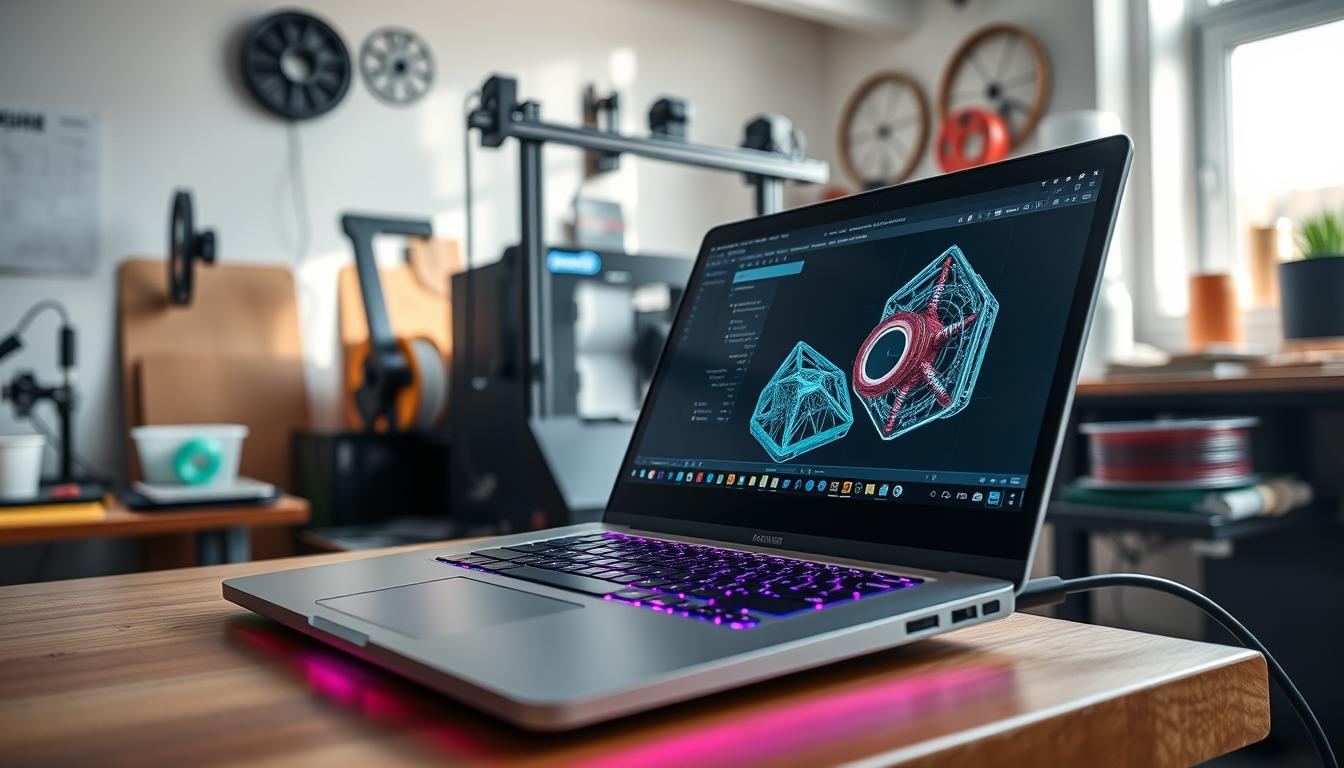
As a computer science student, I’ve had my fair share of testing various laptops to find the perfect fit for our needs. In this article, I’ll share my findings on the top laptops for cs students in 2025, focusing on performance, portability, and software compatibility.
I’ll be discussing the key specifications to look for in a cs student laptop, reviewing top models, and comparing operating systems. Whether you’re a beginner or an advanced programmer, this guide will help you make an informed decision when choosing your next laptop.
Key Takeaways
- Top laptop models for computer science students
- Key specifications to look for in a cs student laptop
- Comparison of operating systems for programming
- Performance and portability considerations
- Software compatibility and requirements
What Computer Science Students Need in a Laptop
With so many laptops on the market, it can be challenging for computer science students to choose the one that best fits their needs. As a student in this field, you require a laptop that can handle demanding tasks, from coding and development to data analysis and more.
Performance Requirements for Coding and Development
A laptop with a strong processor, ample RAM, and sufficient storage is essential for coding and development. You’ll need a laptop that can run multiple applications simultaneously, such as code editors, compilers, and debuggers. A minimum of 8GB RAM is recommended, but 16GB or more is ideal for smoother performance.
A fast processor is also crucial, as it will help you compile code quickly and efficiently. Look for laptops with the latest generation processors from Intel Core or AMD Ryzen.
Portability and Battery Life Considerations
As a computer science student, you’re likely always on the go, attending classes, working on projects, and collaborating with peers. A portable laptop with a long battery life is essential for staying productive on the go. Look for laptops with a battery life of at least 8 hours, and consider those with quick charging capabilities to minimize downtime.
Software Compatibility Issues
Software compatibility is another critical factor to consider when choosing a laptop for computer science studies. Ensure that your laptop can run the necessary development environments, tools, and software required for your coursework. For instance, if you’re working with specific programming languages or frameworks, verify that your laptop meets the system requirements.
Some laptops may have specific requirements or limitations when it comes to running certain development tools or software. Be sure to research these requirements before making your final decision.
Key Specifications to Look for in a CS Student Laptop
Choosing the right laptop for computer science studies involves considering several critical specifications that impact performance and functionality. As I delve into the details, you’ll understand what makes a laptop suitable for your academic needs.
Processor and RAM Requirements
A recent-generation processor is crucial for handling demanding tasks such as coding, data analysis, and software development. I recommend at least a quad-core processor, preferably from reputable brands like Intel Core i5 or AMD Ryzen 5. For RAM, 16GB is the minimum for smooth performance, but 32GB or more is ideal, especially for multitasking and running virtual machines.
Storage Options and Considerations
Storage is another vital aspect. You’ll want a laptop with fast storage to reduce loading times and improve overall responsiveness. A Solid-State Drive (SSD) is highly recommended over traditional Hard Disk Drives (HDD). For a computer science student, a 512GB SSD is a good starting point, but consider 1TB or more if you need to store large datasets or multiple virtual machines.
Display Quality and Size
The display quality and size can significantly affect your productivity and comfort. A Full HD (1080p) display is a minimum, but 4K or high-resolution panels offer better clarity and more screen real estate. Screen size is a matter of personal preference, but 13 to 15 inches is a common range that balances portability and usability.
Connectivity and Ports
Finally, consider the connectivity options and ports. A good developer student laptop should have multiple USB ports (including USB-C), an HDMI port, and an SD card slot. Additionally, Wi-Fi 6 or the latest wireless standard ensures reliable and fast internet connectivity.
By focusing on these key specifications, you can find a laptop that meets your computer science needs, enhancing your academic performance and overall experience.
Apple MacBook Pro M3 Pro
For computer science students, the Apple MacBook Pro M3 Pro represents a significant investment in their academic and professional future. This laptop is designed to handle demanding tasks with ease, making it an attractive option for those in the field.
Overview
The Apple MacBook Pro M3 Pro is a testament to Apple’s commitment to delivering high-performance laptops. With its advanced M3 Pro chip, this laptop offers a significant boost in processing power and efficiency.
- Exceptional Performance: The M3 Pro chip provides a substantial increase in CPU and GPU performance, making it ideal for tasks like coding, video editing, and 3D modeling.
- Beautiful Display: The MacBook Pro features a stunning Retina display with high resolution and excellent color accuracy, perfect for long coding sessions or multimedia consumption.
- Robust Design: Apple’s signature unibody design ensures durability and a premium feel, with a robust construction that can withstand the rigors of daily use.
Cons
- Premium Pricing: The MacBook Pro M3 Pro comes with a hefty price tag, which may be a barrier for some students.
- Limited Port Selection: The laptop features a limited number of ports, which might require users to invest in additional adapters or dongles.
Features
| Feature | Description | Benefit for CS Students |
|---|---|---|
| M3 Pro Chip | Advanced processor with improved CPU and GPU | Enhanced performance for coding and development |
| Retina Display | High-resolution display with excellent color accuracy | Ideal for multimedia consumption and long coding sessions |
| Memory and Storage | Configurable up to 64GB RAM and 8TB SSD | Ample resources for demanding tasks and projects |
The Apple MacBook Pro M3 Pro is a powerful tool for computer science students, offering exceptional performance, a beautiful display, and robust design. While it comes with a premium price tag, its features make it a worthwhile investment for those serious about their academic and professional pursuits.
Dell XPS 15 (2025 Edition)
The Dell XPS 15, in its 2025 edition, stands out as a powerful contender for computer science students seeking a reliable and high-performance laptop. As a cs student laptop, it offers a blend of advanced features, robust performance, and a sleek design that appeals to both professionals and students alike.
Overview
The Dell XPS 15 (2025 Edition) is designed to meet the demanding needs of computer science students. It boasts a powerful processor, ample storage, and a high-quality display, making it an ideal choice for coding, development, and running demanding applications.
One of the key aspects of this laptop is its performance. Equipped with the latest processors and up to 64GB of RAM, it can handle complex tasks with ease. The XPS 15 also features a range of storage options, including SSDs, ensuring fast data access and processing.
Pros
- Exceptional Performance: With the latest Intel or AMD processors, the XPS 15 delivers the performance needed for demanding computer science tasks.
- High-Quality Display: The 15.6-inch InfinityEdge display offers a stunning 4K OLED option, providing crystal-clear visuals.
- Sleek Design: The XPS 15 features a premium aluminum construction, making it both durable and visually appealing.
Cons
- Price: The XPS 15 is positioned as a premium product, and its price reflects this, potentially making it less accessible to budget-conscious students.
- Limited Ports
Features
The Dell XPS 15 (2025 Edition) comes with a range of features that make it an attractive option for computer science students. These include:
- Thunderbolt 4: Offering fast data transfer and connectivity options.
- Advanced Cooling System: Ensuring the laptop remains cool under heavy loads.
- Long Battery Life: With up to 14 hours of battery life, it’s suitable for long coding sessions or study groups.
In conclusion, the Dell XPS 15 (2025 Edition) is a formidable cs student laptop, offering the performance, display quality, and design that computer science students need. While it comes at a premium price, its capabilities make it a worthwhile investment for those serious about their studies and future careers.
Best Laptop Brand for Students: Lenovo ThinkPad X1 Carbon Gen 13
For computer science students seeking a reliable and portable laptop, the Lenovo ThinkPad X1 Carbon Gen 13 stands out as a top contender. Its reputation for durability, long battery life, and robust performance makes it an attractive option for those navigating the demands of computer science programs.
Overview
The Lenovo ThinkPad X1 Carbon Gen 13 is designed with the mobile professional and student in mind. It boasts a lightweight carbon fiber construction, making it easy to carry around campus or to internships. With a focus on performance, it is equipped with up-to-date processors and memory options that can handle demanding tasks such as coding, data analysis, and software development.
- Portability: Weighing in at just over 2 pounds, it’s incredibly lightweight and easy to carry.
- Long Battery Life: Lenovo claims up to 15 hours of battery life, making it suitable for long days on campus.
- Performance: With options for the latest Intel processors and up to 64GB of RAM, it can handle demanding computer science tasks.
- Keyboard and Display: The keyboard is renowned for its comfort, and the display offers vibrant colors and sharp text.
Cons
- Price: The ThinkPad X1 Carbon Gen 13 is on the premium side, with configurations easily exceeding $2,000.
- Limited Ports: It features only two Thunderbolt 4 ports, requiring adapters for other connections.
- Software Compatibility: While it can run Windows, macOS, or Linux, some configurations may require additional setup for optimal performance.
Features
The ThinkPad X1 Carbon Gen 13 comes with a range of features that make it appealing to computer science students:
- Security: Includes a fingerprint reader and facial recognition for enhanced security.
- Display Options: Offers a 13.5-inch WUXGA or WQXGA display with touch options.
- Connectivity: Features Wi-Fi 6E and Bluetooth 5.2 for reliable connectivity.
As a programming laptop for students, the Lenovo ThinkPad X1 Carbon Gen 13 checks many boxes. Its blend of performance, portability, and features makes it a strong candidate for those in computer science. While it comes with a premium price tag, the investment is justified by its durability and capability to handle demanding tasks.
ASUS ROG Zephyrus G16 (2025 Model)
For computer science students, the ASUS ROG Zephyrus G16 (2025 Model) offers a compelling blend of performance and portability. As a coding laptop, it boasts impressive specifications that cater to the demanding needs of computer science students.
Overview of the Zephyrus G16
The ASUS ROG Zephyrus G16 is designed to deliver high-performance computing in a slim and lightweight form factor. It features a 16-inch display with a high refresh rate, making it suitable not only for coding but also for gaming and multimedia consumption.
- Exceptional Performance: Equipped with the latest Intel Core i9 processor and NVIDIA GeForce RTX 3080 Ti graphics card, the Zephyrus G16 handles demanding tasks with ease.
- High-Quality Display: The laptop features a 16-inch QHD display with a 240Hz refresh rate, providing smooth visuals and an immersive experience.
- Portability: Despite its powerful hardware, the Zephyrus G16 is remarkably thin and lightweight, making it easy to carry around.
Cons of the ASUS ROG Zephyrus G16
- High Price Point: The top-of-the-line configuration comes with a premium price tag, which may be a deterrent for some students.
- Limited Battery Life: The laptop’s battery life is average, requiring frequent charging, especially during intensive use.
Features of the ASUS ROG Zephyrus G16
| Feature | Specification |
|---|---|
| Processor | Intel Core i9-13900H |
| Graphics Card | NVIDIA GeForce RTX 3080 Ti |
| RAM | 32GB DDR5 |
| Storage | 1TB SSD |
| Display | 16-inch QHD (240Hz) |
In conclusion, the ASUS ROG Zephyrus G16 (2025 Model) is a powerful coding laptop that offers a great balance of performance, display quality, and portability, making it an excellent choice for computer science students who require a high-performance machine.
Budget-Friendly Options for CS Students
Affordable laptops for computer science students are more capable than ever, and I’m here to guide you through some top picks. As a developer student, you don’t need to break the bank to get a reliable computer science laptop that meets your needs.
Acer Swift 5 (2025 Edition)
Overview
The Acer Swift 5 (2025 Edition) is a sleek and lightweight developer student laptop that offers impressive performance for its price. With a 13.5-inch display and a weight of just 2.2 pounds, it’s perfect for students on the go.
Pros
- Long battery life – up to 14 hours
- Fast charging capability
- Lightweight and portable design
- Supports Wi-Fi 6E for fast connectivity
Cons
- Limited port selection – only USB-C and headphone jack
- Not the most powerful processor option
Features
| Feature | Specification |
|---|---|
| Processor | Up to Intel Core i7-1260P |
| RAM | Up to 16GB LPDDR5 |
| Storage | Up to 1TB SSD |
HP Pavilion Aero 13
Overview
The HP Pavilion Aero 13 is another excellent computer science laptop for students on a budget. It boasts a 13.3-inch display, AMD Ryzen 7 processor, and up to 16GB of RAM, making it suitable for demanding tasks.
Pros
- Powerful AMD Ryzen 7 processor
- Attractive OLED display option
- Good selection of ports, including USB-A and HDMI
- Backlit keyboard
Cons
- Battery life could be better – around 8 hours
- Not as lightweight as some competitors
Features
| Feature | Specification |
|---|---|
| Processor | Up to AMD Ryzen 7 6800U |
| RAM | Up to 16GB DDR5 |
| Storage | Up to 512GB SSD |
Both the Acer Swift 5 (2025 Edition) and the HP Pavilion Aero 13 offer great value for computer science students looking for a reliable developer student laptop without the high-end price tag. When choosing between them, consider your priorities – whether it’s portability, performance, or feature set.
Comparing Operating Systems for Computer Science Work
When it comes to choosing the right laptop for computer science studies, the operating system is a critical factor that can significantly impact productivity and development workflow. As a computer science student, you’re likely to work with various development tools and environments, making the choice of operating system crucial.
The three main operating systems used by computer science students are macOS, Windows 11 Pro, and Linux. Each has its advantages and disadvantages, which are discussed below.
macOS for Development
macOS is known for its ease of use and seamless integration with other Apple devices. For computer science students, macOS offers a robust development environment, particularly for those working on iOS or macOS applications. The Xcode development environment is a powerful tool that provides everything needed to develop, test, and distribute Apple apps.
- Pros: User-friendly interface, high-quality display support, and excellent for Apple ecosystem development.
- Cons: Limited hardware customization options and generally more expensive than Windows or Linux laptops.
Windows 11 Pro Advantages
Windows 11 Pro is a popular choice among computer science students due to its robust security features and compatibility with a wide range of software applications. It offers Hyper-V virtualization, which is useful for creating virtual machines and testing different environments.
- Pros: Wide software compatibility, robust security features, and excellent for gaming and graphics development.
- Cons: Can be more vulnerable to malware and requires more maintenance than macOS or Linux.
Linux Compatibility Considerations
Linux is a favorite among many computer science students due to its flexibility and customizability. It’s highly compatible with various development tools and environments, and many distributions are available, such as Ubuntu and Fedora.
- Pros: Highly customizable, free and open-source, and excellent for server and network administration.
- Cons: Can have a steep learning curve, and some software applications may not be compatible.
In conclusion, the choice of operating system for a cs student laptop depends on specific needs and preferences. Whether you prioritize ease of use, software compatibility, or customizability, there’s an operating system that fits your requirements. When choosing the best laptop brand for students, consider the operating system that aligns with your academic and professional goals.

Conclusion
As a computer science student, selecting the right programming laptop is crucial for your academic success. Throughout this article, we’ve explored top laptop models, discussed key specifications, and compared operating systems to help you make an informed decision.
When searching for a coding laptop, consider factors such as processor speed, RAM, storage, and display quality. Top brands like Apple, Dell, Lenovo, and ASUS offer a range of options to suit different needs and budgets.
Whether you’re looking for a high-end laptop or a budget-friendly option, there’s a device out there for you. By considering your specific needs and preferences, you can find a laptop that meets your requirements for programming and development.
I recommend considering laptops like the Apple MacBook Pro M3 Pro or the Dell XPS 15 for high-performance needs, or the Acer Swift 5 for a budget-friendly option. Ultimately, the right laptop will help you achieve your academic goals and prepare you for a successful career in computer science.