


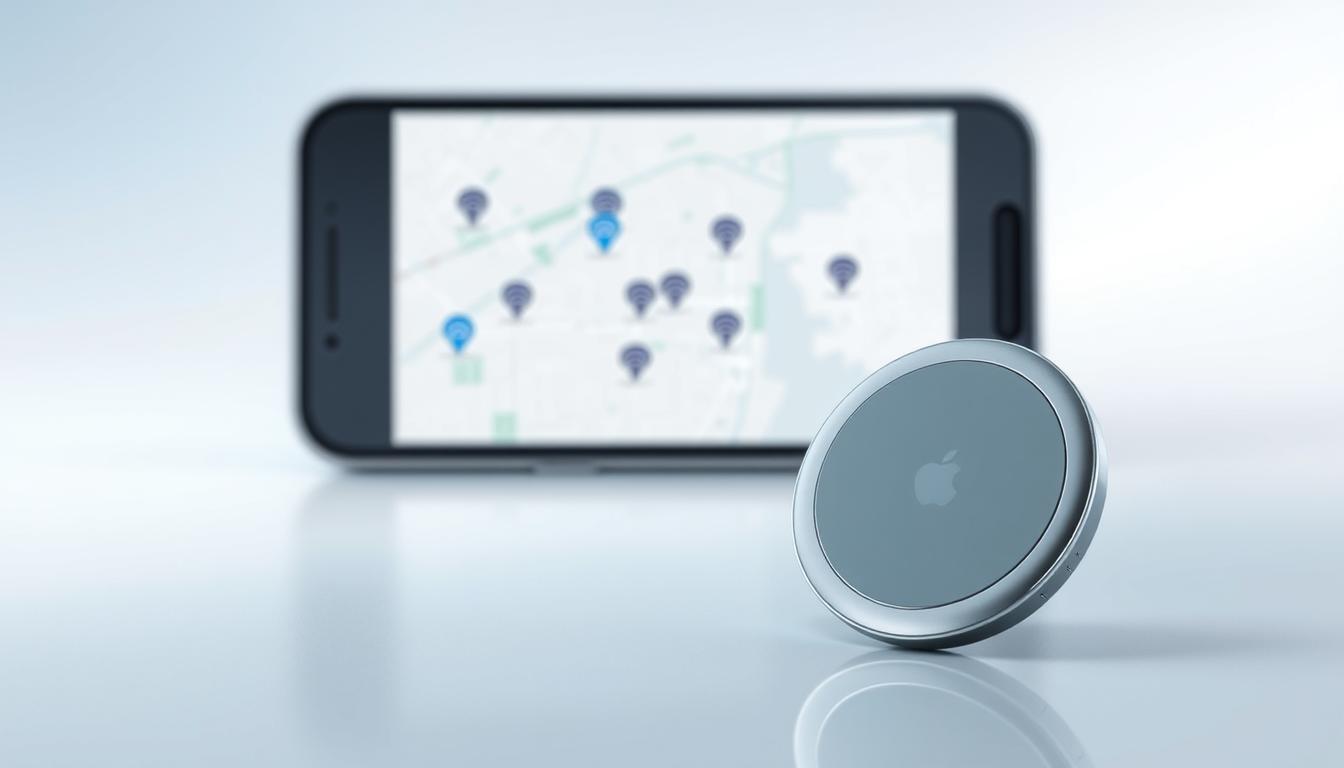
As a technology enthusiast, I’m excited to explore the world of Apple’s innovative item tracking solution. The AirTag has revolutionized the way we keep track of our belongings, and I’m eager to share my insights on the technology that makes it possible.
The Find My technology is at the heart of AirTag’s functionality, enabling users to locate their items with ease and precision. By leveraging a combination of Bluetooth, Ultra-Wideband technology, and the vast Apple device network, AirTag provides a seamless tracking experience.
With its cutting-edge technology and user-centric design, AirTag is redefining the item tracking landscape. In this article, I’ll delve into the details of AirTag’s technology and explore what makes it a game-changer.
Key Takeaways
- AirTag uses a combination of Bluetooth and Ultra-Wideband technology for precise location tracking.
- The Find My network plays a crucial role in AirTag’s functionality, enabling users to locate their items across vast distances.
- AirTag’s technology is designed to be user-friendly and accessible, making it a valuable tool for everyday life.
- The device’s compact design and long battery life make it a practical solution for tracking belongings.
- AirTag’s integration with the Apple ecosystem enhances its functionality and provides a seamless user experience.
The Evolution of Item Tracking Technology
Item tracking technology has undergone a substantial transformation, from rudimentary Bluetooth trackers to sophisticated solutions like Apple’s AirTag. This evolution has been driven by the need for more accurate and reliable tracking capabilities.
From Bluetooth Trackers to Apple’s Solution
The first generation of Bluetooth trackers marked the beginning of a new era in item tracking. However, these early devices had limitations, such as short range and lack of precision. Apple’s AirTag addressed these issues by integrating with the Find My network, a vast ecosystem that leverages millions of Apple devices worldwide.
The Launch and Reception of AirTag
Apple’s AirTag was launched to significant consumer interest, offering a seamless tracking experience. The initial consumer response was overwhelmingly positive, with many praising its ease of use and accuracy.
Initial Consumer Response
Consumers appreciated the AirTag’s ability to accurately locate lost items, thanks to its integration with the Find My network. The device’s simplicity and effectiveness made it an instant hit.
Market Position
AirTag quickly gained a significant market share, becoming a leader in the item tracking space. Its success can be attributed to Apple’s ability to innovate and improve upon existing technologies, creating a product that is both user-friendly and highly effective.
Understanding the Find My Network
At the heart of Apple’s AirTag functionality lies the vast and intricate Find My network. This network is a crucial component that enables the precise location tracking of AirTags, making it an essential aspect of the overall user experience.
Creating a Billion-Device Mesh Network
Apple has successfully created a massive mesh network by leveraging the collective power of its vast user base. The Find My network comprises hundreds of millions of Apple devices, including iPhones, iPads, and Macs, which work together to provide comprehensive coverage.
This crowdsourced approach allows for a robust and expansive network that can locate AirTags in a wide range of environments and locations.
The Crowdsourced Approach to Location Tracking
The Find My network operates on a crowdsourced principle, relying on the collective presence of Apple devices to detect and report the location of AirTags. When an AirTag comes within range of an Apple device, it can send its location to the owner’s device, helping to pinpoint its whereabouts.
Anonymous Reporting System
The Find My network incorporates an anonymous reporting system, ensuring that the location data is transmitted without revealing the identity of the device that detected the AirTag. This approach prioritizes user privacy while still enabling effective location tracking.
Network Coverage and Limitations
While the Find My network offers extensive coverage due to its vast number of participating devices, there are limitations to its effectiveness. Areas with low Apple device density may experience reduced accuracy or delayed location updates. Nonetheless, the network’s overall reach and the continuous growth of Apple’s user base contribute to its reliability and utility.
In conclusion, the Find My network is a testament to Apple’s innovative approach to technology development, leveraging the power of its ecosystem to create a unique and valuable service for its users.
AirTag Specifications: Size, Design, and Hardware Components
At the heart of Apple’s tracking solution lies a carefully engineered device with precise specifications. The AirTag is designed to be compact and unobtrusive, making it an ideal accessory for tracking personal items.
Physical Dimensions and Design Elements
The AirTag measures 31.9 mm in diameter and 8 mm in thickness, weighing approximately 11 grams. Its stainless steel cover is not only durable but also resists corrosion, ensuring longevity. The device is also IP67 rated for dust and water resistance, enhancing its robustness.
Internal Components and Circuitry
Inside the AirTag lies a sophisticated arrangement of components, including a Bluetooth chip for connectivity, a U1 ultra-wideband chip for precision tracking, and a custom-designed accelerometer to detect movement. These components work in tandem to provide accurate location data and seamless user experience.
Battery Type and Expected Lifespan
The AirTag is powered by a CR2032 coin cell battery, which is user-replaceable. Apple claims that the battery lasts for over a year under normal usage conditions.
Battery Replacement Process
Replacing the battery is straightforward; users simply twist the back cover of the AirTag to access the battery compartment.
Power Efficiency Features
AirTag incorporates several power-saving features, including low-power modes and efficient data transmission protocols, to maximize battery life.
| Specification | Detail |
|---|---|
| Dimensions | 31.9 mm (diameter) x 8 mm (thickness) |
| Weight | 11 grams |
| Battery Type | CR2032 coin cell |
| Battery Life | Over 1 year |
| Water Resistance | IP67 rating |
Ultra Wideband Technology Explained
Ultra-wideband technology is a game-changer in the world of item tracking, thanks to Apple’s U1 chip. This technology offers a more precise and efficient way of locating items compared to traditional Bluetooth tracking.
What Makes U1 Chip Different from Bluetooth
The U1 chip is distinct from Bluetooth technology in its ability to provide precision finding and spatial awareness. Unlike Bluetooth, which relies on signal strength to estimate distance, UWB uses a combination of radio waves and precise timing to determine the exact location of an AirTag.
Precision Finding and Spatial Awareness
Precision finding allows users to see the exact direction and distance to their AirTag on their iPhone screen. This feature is made possible by the U1 chip’s ability to understand the spatial relationship between the AirTag and the iPhone, providing a more intuitive tracking experience.
How UWB Enables Directional Location
UWB technology enables directional location by using the time difference between when a signal is sent and received. This allows the AirTag to determine not just the distance but also the direction of the iPhone relative to it.
Technical Limitations of UWB
While UWB offers significant advantages, it also has some technical limitations. For instance, UWB signals can be affected by physical barriers such as walls and furniture. Moreover, the technology requires specific hardware support, limiting its compatibility to certain Apple devices.
Device Compatibility Requirements
To take full advantage of UWB technology, users need an Apple device equipped with the U1 chip, such as the iPhone 11 or later models. This compatibility requirement is crucial for features like precision finding to work effectively.
| Feature | UWB Technology | Bluetooth |
|---|---|---|
| Precision | High | Low |
| Directional Awareness | Yes | No |
| Device Compatibility | Limited to U1 chip devices | Wide range of devices |
Bluetooth Connectivity in AirTag
At the heart of the AirTag’s tracking capabilities is Bluetooth Low Energy (BLE) technology, which plays a pivotal role in its overall performance. Bluetooth connectivity is integral to how AirTag communicates with Apple devices, facilitating the tracking and location services that users rely on.
Bluetooth Low Energy Implementation
The AirTag utilizes Bluetooth Low Energy (BLE) to minimize power consumption while maintaining a stable connection with nearby Apple devices. This implementation is crucial for prolonging battery life, as AirTags are designed to operate for over a year on a single CR2032 battery.
Range and Connection Capabilities
The effective range of Bluetooth connectivity in AirTag is influenced by environmental factors, including physical obstructions and interference from other devices. Typically, Bluetooth signals can reach up to 100 meters in ideal conditions, though real-world performance may vary.
How Bluetooth and UWB Work Together
AirTag’s tracking capabilities are enhanced by the synergy between Bluetooth and Ultra-Wideband (UWB) technology. While UWB provides precise location data, Bluetooth facilitates broader connectivity and fallback mechanisms when UWB isn’t available.
Fallback Mechanisms When UWB Isn’t Available
In situations where UWB signals are weak or unavailable, the AirTag seamlessly transitions to using Bluetooth for location tracking. This ensures a continuous user experience, even in challenging environments.
The combination of Bluetooth and UWB technologies underscores Apple’s approach to creating a robust and reliable tracking ecosystem. By leveraging the strengths of both technologies, AirTag provides users with a dependable means of keeping track of their belongings.
The NFC Component for Lost Mode
The NFC component plays a crucial role in AirTag’s Lost Mode functionality. This feature is designed to help return lost AirTags to their owners.
How Lost Mode Activates NFC Functionality
When an AirTag is marked as lost, its NFC functionality is activated. This allows anyone who finds the AirTag to scan it using their NFC-enabled smartphone.
What Happens When Someone Scans a Found AirTag
Upon scanning, the user’s smartphone is directed to a webpage containing the owner’s contact information.
Contact Information Display Process
The contact information display process is straightforward. The owner’s details are stored securely and displayed on the webpage when the AirTag is scanned.
Cross-Platform Compatibility
AirTag’s NFC functionality is compatible with both iOS and Android devices, making it easy for anyone to scan and return a lost AirTag.
| Device Type | NFC Compatibility |
|---|---|
| iOS Devices | Yes |
| Android Devices | Yes |

AirTag’s Privacy and Security Features
As I explore the security features of AirTag, it becomes clear that Apple has prioritized user privacy. The AirTag’s functionality is built around a foundation of robust security measures, ensuring a safe user experience.
End-to-End Encryption and Anonymous Data
AirTag uses end-to-end encryption to protect user data, ensuring that location information is secure and anonymous. This means that the data transmitted by AirTag is encrypted and can only be accessed by authorized parties.
Anti-Stalking Measures
Apple has implemented anti-stalking measures to prevent AirTag from being used for malicious purposes. These measures include:
- Unwanted tracking notifications: AirTag alerts users if it’s being used to track them without their consent.
- Sound alerts and safety mechanisms: AirTag emits a sound when it’s moved or when someone tries to disable it, providing an additional layer of security.
Unwanted Tracking Notifications
AirTag’s unwanted tracking notifications are designed to alert users if the device is being used to track them without their knowledge or consent. This feature provides an added layer of security and peace of mind.
Sound Alerts and Safety Mechanisms
The sound alerts and safety mechanisms built into AirTag serve as a deterrent against potential misuse. By emitting a sound when moved or tampered with, AirTag ensures that users are notified of any potential security breaches.
Rotating Identifiers and Privacy Protection
AirTag uses rotating identifiers to protect user privacy. This means that the device’s identifier changes regularly, making it difficult for unauthorized parties to track the device.
How Apple Prevents Tracking Abuse
Apple has implemented various measures to prevent tracking abuse, including the use of rotating identifiers and anti-stalking features. By combining these features, Apple ensures that AirTag is used for its intended purpose: helping users keep track of their belongings.
Setting Up and Using AirTags with Apple Devices
The process of setting up AirTags with Apple devices is designed to be user-friendly, making it easy for users to start tracking their belongings. To begin, you’ll need an Apple device running a compatible operating system.
Pairing Process and Device Requirements
To pair an AirTag, bring it near your Apple device. A setup animation will appear on your device’s screen, guiding you through the pairing process. You’ll need to have the latest version of iOS or iPadOS installed on your device. The AirTag will then be connected to your Apple ID, allowing you to track it using the Find My app.
Managing Multiple AirTags
If you have multiple AirTags, you can manage them all within the Find My app. The app allows you to give each AirTag a unique name and assign it to a specific item. You can also view the location of all your AirTags on a map.
Find My App Integration
The Find My app is central to using AirTags with Apple devices. It not only allows you to track the location of your AirTags but also provides additional features like Precision Finding, which uses the U1 chip in compatible devices to guide you to your AirTag.
iOS Interface and Features
On iOS devices, the Find My app provides a seamless interface for managing AirTags. You can view the location of your AirTags on a map, receive notifications when an AirTag is moved, and use the app to make an AirTag play a sound to help you locate it.
macOS and iPadOS Compatibility
AirTags are also compatible with macOS and iPadOS devices. You can use the Find My app on these devices to track your AirTags, although some features like Precision Finding may not be available on all devices.
| Device | Operating System | Find My App Features |
|---|---|---|
| iPhone | iOS 14.5 or later | Precision Finding, Location Tracking |
| iPad | iPadOS 14.5 or later | Location Tracking, some Precision Finding features |
| Mac | macOS Big Sur or later | Location Tracking |
Real-World Applications and Use Cases
The versatility of AirTag extends far beyond its initial marketing, providing users with numerous real-world use cases. Its impact is felt across different demographics, offering a multitude of uses that cater to various needs.
Tracking Luggage and Travel Items
One of the most popular uses of AirTag is tracking luggage and other travel items. By attaching an AirTag to your suitcase or bag, you can easily locate it on the airport map, ensuring that your belongings are always within reach.
Finding Keys and Everyday Objects
AirTag is also highly effective in finding misplaced keys and other everyday objects. With the precision finding feature enabled by Ultra Wideband technology, users can pinpoint the exact location of their lost items with ease.
Creative Uses Beyond Apple’s Marketing
Beyond the obvious uses, AirTag has been adopted in various creative ways. For instance, users have attached AirTags to their bicycles, musical instruments, and even pets to keep track of their valuable possessions.
Business Applications
In a business context, AirTags can be used to manage inventory, track company assets, and streamline logistics. This can lead to significant cost savings and operational efficiencies.
Family Safety Use Cases
AirTags can also be used to enhance family safety. For example, parents can attach AirTags to their children’s backpacks or clothing to keep track of their whereabouts, providing an added layer of security.
In conclusion, AirTag’s applications are diverse and continue to expand as users find new and innovative ways to utilize this technology. Its ability to seamlessly integrate into various aspects of life makes it a valuable tool for both personal and professional use.
AirTag Limitations and Concerns
As we delve deeper into the world of AirTag, it’s essential to examine its limitations and the concerns surrounding it. While AirTag has proven to be a powerful tool for tracking items, its effectiveness is not without certain constraints.
Technical Constraints
One of the primary technical limitations of AirTag is its reliance on the Find My network. While this network is vast and comprehensive, covering millions of Apple devices worldwide, it’s not universal. The effectiveness of AirTag is directly tied to the density of Apple devices in a given area.
Range and Accuracy Issues
AirTag uses a combination of Bluetooth Low Energy (BLE) and Ultra-Wideband (UWB) technology to determine the location of items. However, the accuracy of these technologies can be affected by various environmental factors. For instance, physical barriers such as walls and furniture can impact the signal strength and accuracy of UWB technology.
Environmental Factors Affecting Performance
Environmental factors such as interference from other electronic devices, physical obstructions, and even the material of the item being tracked can affect AirTag’s performance. For example, tracking an item stored in a metal container or buried under other objects can be challenging due to signal attenuation.
Privacy Controversies and Responses
AirTag has faced criticism regarding privacy concerns, particularly related to potential misuse for stalking or tracking individuals without their consent. Apple has faced scrutiny over these issues and has taken steps to address them.
Apple’s Software Updates Addressing Concerns
In response to privacy concerns, Apple has released software updates aimed at enhancing AirTag’s security features. These updates include improvements to alert systems for unwanted tracking and enhanced encryption methods to protect user data.
Regulatory Considerations
As AirTag continues to evolve, regulatory bodies are keeping a close eye on its development and usage. Ensuring compliance with privacy laws and regulations across different jurisdictions is crucial for Apple. This includes adhering to guidelines on data protection and user consent.
| Limitation/Concern | Description | Apple’s Response |
|---|---|---|
| Range and Accuracy | Environmental factors and physical barriers can affect signal strength and accuracy. | Software updates to improve location services. |
| Privacy Concerns | Potential misuse for stalking or tracking without consent. | Enhanced security features, alert systems, and encryption methods. |
| Regulatory Compliance | Ensuring adherence to privacy laws and data protection regulations. | Ongoing monitoring and compliance with regulatory guidelines. |
AirTag Accessories and Ecosystem
The Apple AirTag has spawned a thriving ecosystem of accessories that enhance its functionality. As a result, users can personalize their AirTags to suit various needs and preferences.
Official Apple Accessories
Apple offers a range of official accessories designed specifically for AirTag, including AirTag Loop and Leather Key Ring. These accessories not only provide a secure way to attach the AirTag to belongings but also complement Apple’s design aesthetic.
Third-Party Options and Innovations
Beyond Apple’s official offerings, third-party manufacturers have developed a wide array of innovative accessories. These include:
- Custom keychains and luggage tags that integrate seamlessly with AirTag.
- Waterproof and rugged cases designed to protect AirTag in harsh environments.
Keychain and Luggage Tag Options
Several companies have created custom keychains and luggage tags that are specifically designed to house AirTag. These accessories combine style with functionality, making it easy to track important items.
Waterproof and Rugged Solutions
For users who need to track items exposed to the elements, waterproof and rugged AirTag accessories are available. These provide an additional layer of protection, ensuring that AirTag remains functional in challenging conditions.
With a growing ecosystem of accessories, AirTag’s versatility is significantly enhanced, making it an even more valuable tool for tracking and locating personal belongings.
Conclusion: The Future of Apple’s Tracking Technology
As we’ve explored the intricacies of Apple’s AirTag and the Find My network, it’s clear that the technology has revolutionized item tracking. The airtag technology explained throughout this article highlights the innovative use of Ultra Wideband and Bluetooth connectivity, enabling precise location tracking and seamless user experience.
The Find My network, comprising over a billion Apple devices, provides a robust crowdsourced approach to location tracking, ensuring that AirTag users can rely on a vast network to locate their items. As Apple continues to refine and expand its tracking technology, we can expect to see even more innovative applications and use cases emerge.
With its robust security features, user-friendly setup, and versatile accessories, AirTag is poised to remain a leading solution in the item tracking market. As the technology continues to evolve, it’s likely that we’ll see new features and capabilities that further enhance the user experience.



