


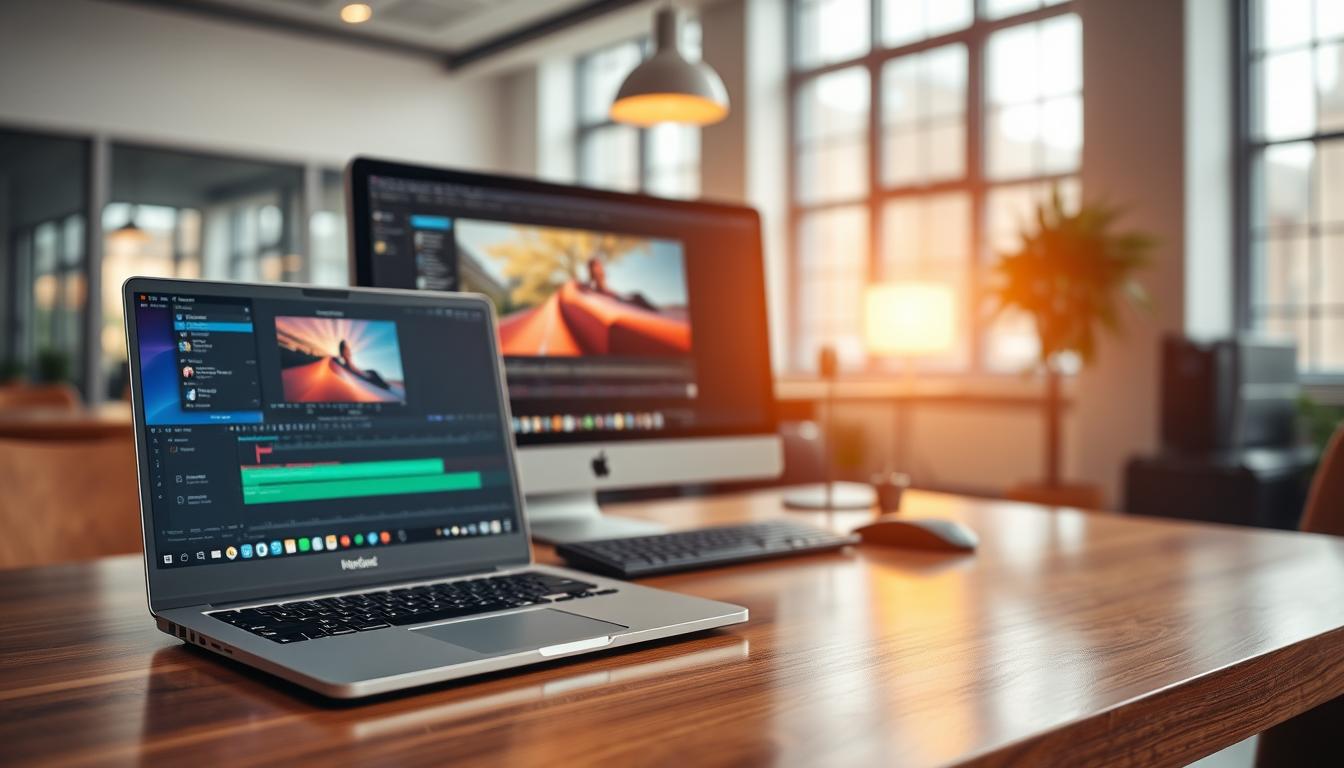
As a professional in the video editing industry, I’m often asked whether to choose a laptop or desktop for video editing tasks. With technology advancing rapidly, the gap between these two options is narrowing, making it crucial to assess your specific needs and workflow requirements.
In this article, I’ll share my insights on the evolution of video editing hardware, key performance factors, and the pros and cons of laptops and desktops to help you make an informed decision in 2025.
Key Takeaways
- Understand the key performance factors for video editing
- Assess the pros and cons of laptops and desktops for video editing
- Make an informed decision based on your specific needs and workflow requirements
- Consider the advancements in technology and their impact on video editing hardware
- Evaluate your options for video editing in 2025
The Evolution of Video Editing Hardware
As I reflect on the journey of video editing hardware, it’s clear that technological innovations have revolutionized the industry. The way we edit videos today is vastly different from just a few years ago, with significant advancements in processing power, memory, and storage capacity.
How Technology Has Changed Video Editing
Technological advancements have transformed video editing from a cumbersome, time-consuming process to a more streamlined and efficient workflow. The introduction of 4K and 8K resolutions has raised the bar for video quality, while AI-powered editing tools have automated many tasks, allowing editors to focus on creative decisions.
The Narrowing Gap Between Laptops and Desktops
The distinction between laptops and desktops for video editing has become increasingly blurred. Laptops now offer powerful processors, ample storage, and dedicated graphics cards, making them viable options for demanding video editing tasks. Meanwhile, desktops continue to provide superior performance and upgradeability.
Current State of Video Editing Technology
Today, video editing technology is more accessible and powerful than ever. With the rise of cloud-based collaboration solutions, editors can work together seamlessly, regardless of their location. As technology continues to evolve, we can expect even more innovative solutions to emerge, further transforming the video editing landscape.
Understanding Your Video Editing Needs
The key to choosing between a laptop and desktop for video editing lies in understanding your workflow, budget, and mobility needs. As a professional in the field, I’ve seen many clients make informed decisions by carefully assessing these factors.
Assessing Your Workflow Requirements
To determine your workflow requirements, consider the type of projects you typically work on, the software you use, and the level of complexity involved. For instance, if you’re working on 4K video editing projects, you’ll need more powerful hardware than someone editing standard definition videos. I always advise my clients to think about their current and future project needs to ensure their chosen hardware can handle the demands.
Determining Your Budget Constraints
Budget is a critical factor in deciding between a laptop and desktop for video editing. High-end video editing equipment can be costly, so it’s essential to set a realistic budget. Consider not only the initial cost but also potential future upgrades and maintenance. Determining your budget constraints will help narrow down your options and ensure you’re looking at hardware that fits within your financial means.
Considering Your Mobility Needs
Mobility is another crucial aspect to consider. If you’re a freelancer or content creator who needs to edit on the go, a laptop might be the better choice. However, if you work primarily in a studio or office setting, a desktop could be more suitable.
Studio-Based vs Field Production
Consider whether your work is primarily studio-based or involves field production. For field production, a portable solution like a laptop is essential. On the other hand, if you’re working in a fixed location, you can opt for a more powerful desktop setup.
Travel Frequency and Duration
Think about how often you travel and for how long. If you’re frequently on the move, a laptop with a good balance of performance and battery life is vital.
By carefully assessing your workflow requirements, budget constraints, and mobility needs, you’ll be better equipped to make an informed decision between a laptop and desktop for your video editing work.
Key Performance Factors for Video Editing
To achieve smooth video editing, it’s essential to understand the key performance factors that impact your system’s capabilities. Video editing is a demanding task that requires a harmonious balance between various hardware components.
Processor Requirements
The processor is the brain of your video editing system, handling tasks such as video encoding, decoding, and effects processing. A fast processor is crucial for efficient video editing.
Single-Core vs Multi-Core Performance
When it comes to processor performance, both single-core and multi-core capabilities are important. Single-core performance affects tasks that rely on a single thread, while multi-core performance is beneficial for tasks that can be parallelized, such as rendering and exporting video.
For instance, Intel Core i9 and AMD Ryzen 9 processors are popular among video editors due to their high performance in both single-core and multi-core tasks.
GPU Considerations
The GPU plays a critical role in video editing, particularly in tasks that involve GPU acceleration, such as color grading and effects rendering. The two dominant GPU technologies for video editing are NVIDIA’s CUDA and AMD’s OpenCL.
CUDA vs OpenCL Support
When choosing a GPU, it’s essential to consider the compatibility of your video editing software with either CUDA or OpenCL. Most professional video editing software supports CUDA, making NVIDIA GPUs a popular choice among video editors.
However, AMD GPUs with OpenCL support can also offer excellent performance, especially in applications that are optimized for this technology.
RAM and Storage Needs
Adequate RAM and fast storage are vital for smooth video editing performance. A minimum of 16 GB RAM is recommended, though 32 GB or more is ideal for demanding projects.
| Component | Minimum Requirement | Recommended |
|---|---|---|
| RAM | 16 GB | 32 GB or more |
| Storage | 256 GB SSD | 1 TB or more SSD |
Display Quality and Color Accuracy
A high-quality display with accurate color representation is crucial for video editors. A 4K or high-resolution display allows for precise editing and color grading.
When selecting a display, consider factors such as color gamut, brightness, and calibration options to ensure that your final product looks its best on various devices.
Desktop Advantages for Video Editing
When it comes to video editing, desktops have several distinct advantages that make them a preferred choice for professionals. These benefits are crucial for handling demanding video editing tasks efficiently.
Superior Cooling and Thermal Management
Desktops offer superior cooling and thermal management, allowing for sustained performance during long editing sessions. This is particularly important for complex video editing projects that require intense processing power.
Expandability and Upgrade Potential
Desktops are highly expandable and upgradable, making it easier to add new components as needed. This flexibility ensures that your system can adapt to evolving software requirements and increasing project demands.
Higher Performance Ceiling
Desktops generally have a higher performance ceiling compared to laptops, making them suitable for the most demanding video editing projects. This is due to their ability to accommodate more powerful components.
Cost-Effectiveness for Raw Power
Performance-per-Dollar Analysis
From a cost perspective, desktops can be more cost-effective for raw power. A performance-per-dollar analysis often favors desktops, especially when building a custom desktop with high-end components.
| Component | Desktop | Laptop |
|---|---|---|
| CPU Power | Higher | Limited |
| GPU Capability | More Powerful | Less Powerful |
| RAM and Storage | Easily Upgradable | Limited Upgrade Options |
| Cost for Performance | More Cost-Effective | Less Cost-Effective |
Laptop Advantages for Video Editing
For many video editors, the choice between a laptop and desktop comes down to mobility and convenience. Laptops offer a unique set of advantages that make them ideal for video editing, particularly for those who need to work on location or require flexibility in their workflow.
Portability and On-Location Editing
Laptops enable video editors to work from anywhere, whether it’s on a film set, at a client’s office, or in a remote location. This portability is invaluable for editors who need to review footage or make edits on the go.
All-in-One Solution
A laptop provides an all-in-one solution, with a built-in display, keyboard, and touchpad. This self-contained unit eliminates the need for additional peripherals, making it easier to set up and work efficiently.
Space Efficiency
Laptops are also space-efficient, making them perfect for small studios or editing suites where space is limited. They can be easily stowed away when not in use, freeing up valuable workspace.
Immediate Productivity Anywhere
With a laptop, video editors can be productive anywhere, anytime, as long as they have a power source. This flexibility is particularly useful for freelancers or editors working on tight deadlines.
Battery Life Considerations
When choosing a laptop for video editing, battery life is a critical consideration. Look for laptops with long battery life and power-efficient components to ensure you can work uninterrupted for extended periods. Popular choices among video editors include the Apple MacBook Pro and Dell XPS Creator Series, known for their portability and performance.
“The best laptops for video editing offer a perfect blend of power, portability, and display quality.”
Best Video Editing Laptops of 2025
In 2025, video editing laptops have reached new heights of performance and portability, making it easier than ever to create high-quality content on the go. The latest models from top manufacturers offer a range of features that cater to the diverse needs of video editors, from professionals to enthusiasts.
Apple MacBook Pro Models
The Apple MacBook Pro continues to be a favorite among video editors, thanks to its powerful M3 Pro and M3 Max chips. These processors offer a significant boost in performance, allowing for smoother video editing and faster rendering times.
M3 Pro and M3 Max Performance
The M3 Pro chip provides up to 10 CPU cores and 16 GPU cores, while the M3 Max takes it a step further with up to 16 CPU cores and 40 GPU cores. This translates to enhanced performance for demanding tasks like 4K video editing and 3D modeling.
Dell XPS Creator Series
Dell’s XPS Creator Series laptops are designed with content creators in mind, featuring powerful Intel Core i9 processors, NVIDIA GeForce RTX graphics, and stunning 4K OLED displays. These laptops are ideal for video editors who need a balance of performance and portability.
ASUS ProArt StudioBook
The ASUS ProArt StudioBook is another strong contender, boasting Intel Core i9 processors, NVIDIA GeForce RTX 3080 Ti graphics, and a 16-inch 4K NanoEdge display. It’s designed for professionals who require high-performance computing on the go.

MSI Creator Series
MSI’s Creator Series laptops are tailored for content creators, featuring 11th Gen Intel Core i9 processors, NVIDIA GeForce RTX 3080 graphics, and high-resolution displays. These laptops offer a great balance between performance and affordability.
Razer Blade Studio Edition
The Razer Blade Studio Edition is a powerhouse, equipped with up to 12th Gen Intel Core i9 HX series processors and NVIDIA GeForce RTX 3080 Ti Laptop GPU. It’s designed for professionals who need desktop-level performance in a portable package.
Real-World Editing Benchmarks
To determine which laptop performs best for video editing, it’s essential to look at real-world benchmarks. Here’s a comparison table of the laptops mentioned, based on their performance in Adobe Premiere Pro:
| Laptop Model | Processor | GPU | 4K Video Rendering Time |
|---|---|---|---|
| Apple MacBook Pro M3 Max | M3 Max | M3 Max GPU | 12 minutes |
| Dell XPS Creator Series | Intel Core i9 | NVIDIA GeForce RTX 3080 | 15 minutes |
| ASUS ProArt StudioBook | Intel Core i9 | NVIDIA GeForce RTX 3080 Ti | 10 minutes |
| MSI Creator Series | Intel Core i9 | NVIDIA GeForce RTX 3080 | 14 minutes |
| Razer Blade Studio Edition | Intel Core i9 HX | NVIDIA GeForce RTX 3080 Ti | 9 minutes |
These benchmarks provide a clear insight into the performance of each laptop, helping you make an informed decision based on your specific video editing needs.
Top Desktop Configurations for Video Editing
For professionals and enthusiasts alike, choosing the right desktop configuration is key to a seamless video editing experience. The right setup can significantly enhance productivity, reduce rendering times, and improve overall video quality.
Apple Mac Studio and Mac Pro
Apple’s Mac Studio and Mac Pro are top choices for video editors who prefer macOS. The Mac Studio offers a compact design with powerful specs, including the Apple M1 Ultra chip, up to 64GB of RAM, and up to 8TB of SSD storage. The Mac Pro, on the other hand, provides expandability and modularity, making it ideal for professionals with specific hardware requirements.
Custom PC Builds for Video Editing
Custom PC builds offer flexibility and customization, allowing video editors to choose components that best suit their needs. When building a custom PC, one of the critical decisions is choosing between AMD and Intel processors.
AMD vs Intel Processor Choices
AMD’s Ryzen series offers competitive performance and value, with more cores and threads available in many models. Intel’s Core i9 series, however, still holds its ground in terms of single-threaded performance, which is beneficial for certain video editing tasks.
NVIDIA vs AMD Graphics Options
For graphics, NVIDIA is often the preferred choice due to its dominance in the market and support for CUDA, which is widely used in video editing software. However, AMD’s Radeon cards offer competitive performance and value, making them a viable alternative.
Pre-Built Workstations from Major Manufacturers
For those who prefer a hassle-free experience, pre-built workstations from manufacturers like HP, Dell, and Lenovo offer reliable solutions with good warranty and support options. These workstations are optimized for video editing and other creative tasks, providing a ready-to-use solution.
As emphasized by industry experts, “The right desktop configuration can make a significant difference in video editing performance, allowing for faster rendering and a smoother editing experience.” Investing in a well-configured desktop is crucial for anyone serious about video editing.
Peripheral Considerations for Video Editors
Beyond the laptop or desktop, several peripherals are crucial for an efficient video editing setup. These peripherals can significantly enhance your video editing experience by providing better control, more storage, and improved color accuracy.
Monitor Selection and Calibration
A good monitor is essential for video editors, as it directly impacts the quality of the work. Monitor calibration is crucial to ensure that the colors you see on the screen are accurate and consistent with the final output. I recommend investing in a high-quality monitor with good color gamut and calibrating it regularly.
Storage Solutions and Data Management
Video editing involves working with large files, making storage solutions a critical consideration. External hard drives and SSDs are popular options for storing and managing video files. It’s essential to have a robust data management strategy to keep your projects organized and ensure that your data is safe.
Input Devices for Efficient Editing
Input devices like keyboards and control surfaces can greatly enhance your editing efficiency. Specialized keyboards with customizable keys and control surfaces with faders and buttons can streamline your editing workflow.
Specialized Keyboards and Control Surfaces
For advanced video editors, specialized keyboards and control surfaces can provide a significant productivity boost. These tools are designed to offer intuitive control over editing software, allowing for more precise and efficient editing.
Mobile Video Production Workflows
With the advancement in mobile technology, video editors can now work on complex projects from anywhere, revolutionizing the production process. This shift towards mobile video production has necessitated the development of efficient workflows that can keep up with the demands of high-quality content creation.
Editing on the Go: Real-World Applications
Mobile editing has become a staple for many content creators, allowing them to work on projects during travel or on-location shoots. Proxy editing plays a crucial role here, enabling smoother playback and faster rendering times on lower-end hardware by using proxy files.
Proxy Editing and Optimization Techniques
By utilizing proxy editing, editors can significantly improve their workflow’s efficiency. This involves creating lower-resolution versions of video files for editing purposes, which can then be linked back to the original high-resolution files for final rendering.
Cloud-Based Collaboration Solutions
Cloud-based collaboration tools have transformed the way teams work together on video projects. Platforms that allow real-time commenting, version control, and simultaneous editing have become indispensable for remote teams.
Portable External Hardware Solutions
The use of portable external SSDs and battery-powered drives has made it easier for editors to work on-the-go without worrying about storage or power. These solutions are crucial for maintaining productivity in the field.
By embracing these mobile video production workflows, editors can ensure they’re always ready to create high-quality content, regardless of their location.
Future-Proofing Your Video Editing Investment
To ensure our video editing setups remain relevant, we must consider their longevity. The decision between a laptop and desktop for video editing isn’t just about current performance; it’s about future-proofing our investment.
Longevity Expectations: Laptop vs Desktop
Laptops typically have a shorter lifespan than desktops, usually between 3 to 5 years, due to their compact design and limited upgrade options. Desktops, on the other hand, can be more easily upgraded and extended, potentially lasting longer with proper maintenance.
Upgrade Paths and Considerations
When choosing between a laptop and desktop, it’s essential to consider the available upgrade paths. Desktops generally offer more flexibility in terms of upgrading individual components such as RAM, storage, and GPUs. Laptops, while more limited, still offer some upgrade options, such as adding external storage or RAM in some models.
Adapting to Evolving Software Requirements
Video editing software is continually evolving, with new features and requirements being introduced regularly. It’s crucial to consider how well your chosen hardware will adapt to these changes. Emerging technologies such as AV1 codecs and 8K resolution are becoming more prevalent, and having hardware that can support these advancements is vital for future-proofing.
Emerging Codecs and Resolution Standards
The video editing landscape is shifting towards more efficient codecs like AV1, which offers better compression without sacrificing quality. Similarly, 8K resolution is becoming a new standard for high-end video production. Ensuring that your hardware can handle these emerging standards is key to maintaining a competitive edge in video editing.
Making the Decision: Practical Scenarios
In the realm of video editing, selecting between a laptop and a desktop involves considering several factors that impact your productivity and output quality. The choice isn’t one-size-fits-all; it hinges on your specific needs, workflow, and work environment.
For Professional Studio Environments
For professional studio environments, desktops are often the preferred choice due to their superior performance, expandability, and cost-effectiveness for high-end computing needs. They offer better cooling systems, easier upgrade options, and higher performance ceilings.
For Freelancers and Content Creators
Freelancers and content creators, on the other hand, may prioritize portability and convenience, making laptops an attractive option. Laptops enable on-location editing, reduce the need for multiple setups, and provide an all-in-one solution.
For Students and Beginners
Students and beginners should consider their budget and specific needs. Both laptops and desktops can be viable, depending on whether they prioritize mobility or raw processing power.
For Hybrid Work Environments
For those who work in hybrid environments, a combination of both laptop and desktop setups may offer the best of both worlds, allowing for flexibility and high-performance computing as needed.
Case Studies and Success Stories
Examining real-world case studies can provide valuable insights into how different professionals have made their choices. For instance, a freelance videographer might share how a high-end laptop enabled them to edit on the go, while a studio owner might discuss the benefits of a custom desktop build for their team.
Ultimately, the decision between a laptop and desktop for video editing should be guided by your specific requirements, budget, and workflow. By considering practical scenarios and learning from others in the field, you can make an informed choice that enhances your productivity and video quality.
Conclusion: Choosing the Right Tool for Your Video Editing Journey
As we conclude our exploration of laptops versus desktops for video editing, it’s clear that the right choice depends on several key factors, including your specific workflow requirements, budget constraints, and mobility needs.
I recommend considering your priorities: if you need portability and the ability to edit on location, a high-performance laptop might be the best investment. On the other hand, if you’re working in a fixed studio environment and prioritize raw processing power, a desktop workstation could be more suitable.
Ultimately, choosing the right tool for your video editing journey involves weighing the pros and cons of each option against your unique needs. By staying informed about the latest developments in hardware and software, you can ensure you’re always equipped with the best tools to produce high-quality video content.
Whether you’re a professional video editor, a freelancer, or just starting out, I hope this guide has provided valuable insights to help you make an informed decision and enhance your video editing capabilities.



