


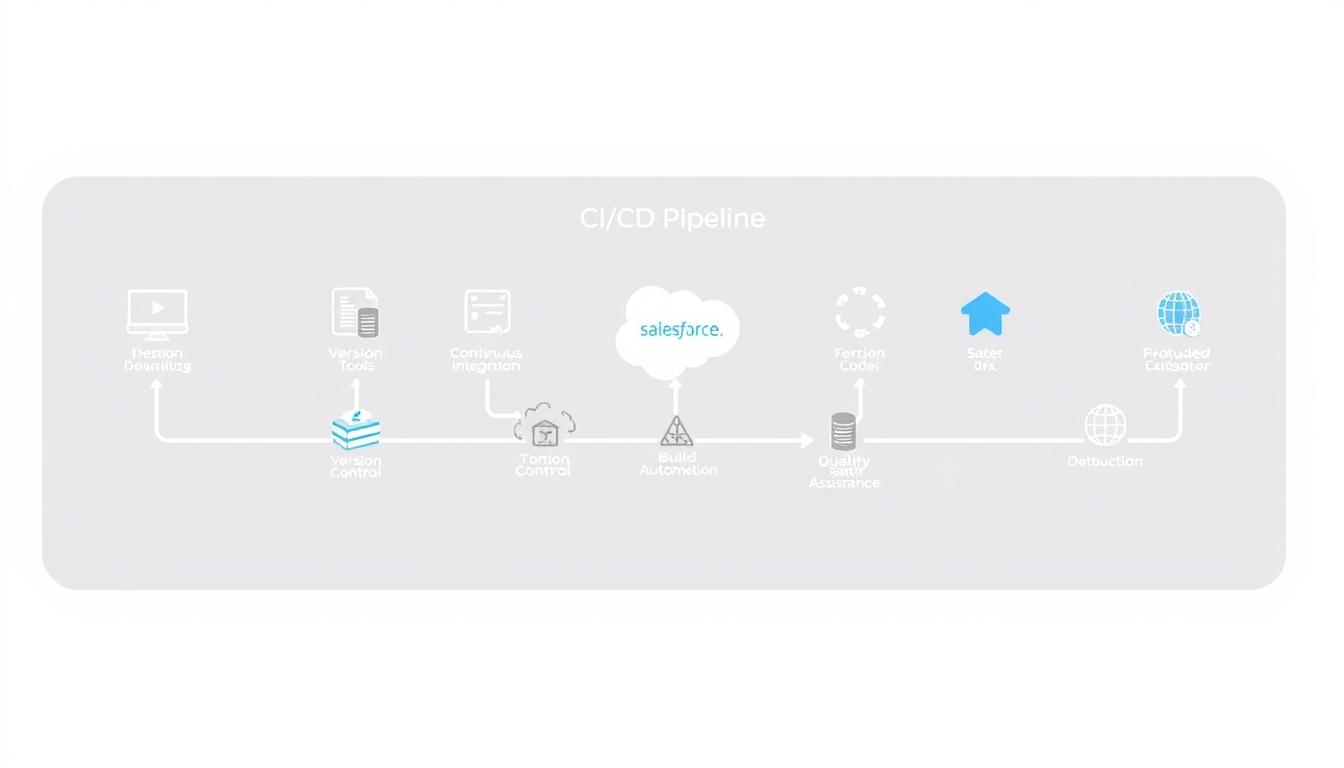
As I embark on setting up a CI/CD pipeline for Salesforce, I’m driven by the need to streamline the development process and enhance productivity. Automating the deployment process is crucial for reducing manual errors and accelerating time-to-market.
By leveraging innovative technologies like Salesforce DX and GitHub Actions, I aim to create a robust deployment workflow that simplifies the development lifecycle. This involves integrating various stages, from code development to testing and deployment automation, ensuring a seamless transition to production.
Key Takeaways
- Understanding the importance of CI/CD pipelines in Salesforce development.
- Identifying the benefits and challenges associated with implementing a CI/CD pipeline.
- Leveraging Salesforce DX and GitHub Actions for automation.
- Creating a robust deployment workflow for streamlined development.
- Enhancing productivity through automation and reduced manual errors.
Understanding Salesforce CI/CD: The Foundation for Modern Development
As we dive into the world of Salesforce development, understanding CI/CD pipelines becomes crucial for modern practices. A well-implemented CI/CD pipeline is the backbone of efficient and reliable Salesforce deployments.
What is a CI/CD Pipeline in the Salesforce Context?
A CI/CD pipeline in Salesforce is a series of processes that automate the build, test, and deployment of applications. It enables developers to integrate code changes into a central repository frequently, ensuring that the codebase remains stable and functional.
“Continuous Integration and Continuous Deployment (CI/CD) is a methodology that enables developers to deliver high-quality software faster and more reliably,” as emphasized by Salesforce experts. This methodology is particularly beneficial in the Salesforce ecosystem, where complex integrations and custom developments are common.
Benefits of Implementing CI/CD for Salesforce Projects
Implementing a CI/CD pipeline for Salesforce projects offers numerous benefits, including:
- Faster time-to-market for new features and updates
- Improved collaboration among development teams
- Enhanced quality through automated testing
- Reduced risk of deployment errors
By leveraging CI/CD pipelines, Salesforce developers can streamline their development processes, making them more agile and responsive to business needs.
Common Challenges in Salesforce Deployment
Despite the benefits, Salesforce deployment can be challenging. Common issues include handling dependencies between components, managing environment-specific configurations, and ensuring compliance with organizational standards.
To overcome these challenges, it’s essential to adopt best practices and leverage tools like SFDX automation. By doing so, developers can simplify their deployment processes and improve overall efficiency.
Prerequisites for Building Your Salesforce CI/CD Pipeline
Establishing a solid foundation is crucial for a successful Salesforce CI/CD pipeline. This involves several key steps that ensure your development environment is ready for the implementation of a CI/CD pipeline.
Development Environment Setup
Setting up your development environment correctly is the first step. This includes installing the necessary tools and configuring your workspace. Salesforce CLI is a critical tool in this process.
Salesforce CLI Installation
To install Salesforce CLI, follow these steps:
- Download the installer from the official Salesforce website.
- Run the installer and follow the prompts.
- Verify the installation by running sfdx –version in your terminal.
Required Access and Permissions
Ensuring you have the necessary access and permissions is vital. This includes having the appropriate Salesforce org permissions and access to your version control system.
Essential Tools and Platforms
Familiarizing yourself with essential tools and platforms is also crucial. This includes:
- Version Control Systems like Git.
- CI/CD Tools such as Jenkins or GitHub Actions.
Version Control System Setup
Setting up a version control system involves:
- Initializing a new repository.
- Configuring your repository structure.
- Committing your initial code.
Essential Salesforce Deployment Tools for Effective CI/CD
To achieve a seamless CI/CD pipeline, understanding the available Salesforce deployment tools is essential. These tools not only simplify the deployment process but also ensure that it is efficient, reliable, and scalable.
Salesforce DX (SFDX) and Its Role in Modern Deployment
Salesforce DX is a game-changer in how developers work with Salesforce. It provides a more streamlined and efficient way to develop, test, and deploy applications. With SFDX, developers can:
- Use source control to manage their Salesforce org’s configuration
- Work in scratch orgs, which are temporary and fully configurable
- Leverage the Salesforce CLI for automation and scripting
This tool is fundamental in modern Salesforce development, enabling teams to adopt best practices in version control and continuous integration.
Comparison of Popular Deployment Tools
When it comes to deploying Salesforce applications, several tools stand out. Here’s a comparison of some of the most popular ones:
Commercial Tools: Copado, AutoRABIT, Gearset
Commercial tools like Copado, AutoRABIT, and Gearset offer robust features for Salesforce deployment. They provide:
- Advanced version control integration, making it easier to manage changes
- Automated testing and validation, ensuring deployments are error-free
- User-friendly interfaces that simplify the deployment process
Open-Source Alternatives
For organizations looking for cost-effective solutions, open-source alternatives are available. While they may require more setup and configuration, they offer flexibility and community support.
Selecting the Right Tool for Your Organization’s Needs
Choosing the right deployment tool depends on several factors, including the size of your team, the complexity of your Salesforce org, and your budget. Consider the following:
- The level of automation you need
- The importance of user interface versus command-line interface
- The need for advanced reporting and analytics
By carefully evaluating these factors, you can select a deployment tool that enhances your CI/CD pipeline and supports your organization’s goals.
Version Control: The Backbone of Your Salesforce Pipeline
Effective version control is the backbone of any successful Salesforce CI/CD pipeline. As I implement version control in my Salesforce projects, I rely on Git, a widely-used version control system, to manage changes and collaborate with team members.
Setting Up Git for Salesforce Projects
To set up Git for Salesforce, I start by initializing a new repository in my project directory. I use git init to create a new Git repository, and then I link it to a remote repository on GitHub or another Git hosting service. This allows me to track changes, collaborate with others, and maintain a history of my project’s evolution.
Organizing Your Repository Structure
A well-organized repository structure is crucial for managing complex Salesforce projects. I recommend creating separate folders for different components, such as Apex classes, Lightning Web Components, and static resources. This structure makes it easier to navigate the project and identify specific files.
Branching Strategies for Salesforce Development
Branching strategies are essential for managing multiple features and releases in Salesforce projects. I explore two popular branching models: Git Flow and GitHub Flow.
Git Flow vs. GitHub Flow for Salesforce
Git Flow is a more complex model that involves multiple branches for different stages of development, such as feature, release, and hotfix branches. GitHub Flow, on the other hand, is simpler, with a single main branch and feature branches. I consider GitHub Flow more suitable for most Salesforce projects due to its simplicity and flexibility.
Managing Environment-Specific Configurations
To manage environment-specific configurations, I use a combination of Git and Salesforce DX. I store environment-specific settings in separate configuration files, which are then used to deploy the correct configuration to each environment.
By implementing a robust version control system like Git, I can efficiently manage my Salesforce projects, collaborate with my team, and ensure the integrity of my codebase throughout the CI/CD pipeline.
Building CI/CD Pipelines with GitHub Actions for Salesforce
As I dive into the world of Salesforce CI/CD, GitHub Actions emerges as a powerful tool to automate our deployment processes. This integration enables developers to create customized workflows that can automatically test, validate, and deploy Salesforce code changes, ensuring a smoother and more efficient development cycle.
Setting Up Your First GitHub Actions Workflow
To get started, navigate to your GitHub repository and locate the “Actions” tab. Here, you can choose from a variety of pre-configured workflows or create your own from scratch. For Salesforce deployments, selecting the right environment and configuring the necessary credentials are crucial steps.
Authentication is a critical aspect; you’ll need to set up a Salesforce DX (SFDX) authentication mechanism. This involves creating a connected app in Salesforce and generating the necessary keys and secrets for secure authentication.
Creating YAML Configuration Files
The workflow configuration is defined in a YAML file, which specifies the sequence of actions, environment variables, and dependencies. For a Salesforce deployment, your YAML file might include steps for checking out code, installing SFDX, authenticating with your org, and deploying the changes.
Implementing Automated Testing in GitHub Actions
Automated testing is a vital component of any CI/CD pipeline. With GitHub Actions, you can integrate various testing frameworks, such as Apex or Jest for Lightning Web Components (LWC), to ensure your code is thoroughly validated before deployment.
Real-World Example: Deploying a Lightning Web Component
Consider a scenario where you’ve developed a new LWC for displaying customer information. Your GitHub Actions workflow can automate the deployment of this component to a sandbox org for testing, followed by a manual approval step before deploying to production.
By leveraging GitHub Actions for Salesforce CI/CD, teams can significantly reduce the time and effort required for deployment, while also improving the quality and reliability of their code.
SFDX Automation: Streamlining Your Deployment Process
As a Salesforce developer, leveraging SFDX commands in CI/CD scripts can significantly enhance your deployment efficiency. SFDX automation is a powerful tool that simplifies the deployment process, allowing for faster and more reliable releases.
Leveraging SFDX Commands in CI/CD Scripts
SFDX commands can be integrated into CI/CD scripts to automate various tasks, such as deploying metadata, running tests, and validating configurations. By leveraging these commands, you can streamline your deployment process and reduce manual errors.
Creating Reusable SFDX Scripts
Creating reusable SFDX scripts is essential for efficient deployment. These scripts can be used across multiple projects and environments, saving time and effort. I’ll outline a simple script that can be used as a starting point for your deployments.
Package Development Model vs. Org Development Model
Understanding the differences between the Package Development Model and Org Development Model is crucial for effective SFDX automation. The following table highlights their key features:
| Feature | Package Development Model | Org Development Model |
|---|---|---|
| Modularity | High | Low |
| Reusability | High | Low |
| Complexity | High | Low |
Handling Dependencies Between Packages
Handling dependencies between packages is critical in the Package Development Model. By understanding how to manage these dependencies, you can ensure smooth deployments and avoid potential issues.
In conclusion, SFDX automation is a powerful tool for streamlining your Salesforce deployment process. By leveraging SFDX commands, creating reusable scripts, and understanding the differences between development models, you can optimize your deployments and improve overall efficiency.
Jenkins Integration for Salesforce Deployment Automation
Integrating Jenkins with Salesforce can significantly enhance your CI/CD pipeline’s efficiency. As we explore this integration, we’ll cover the key aspects of setting up Jenkins for Salesforce deployment automation.
Installing and Configuring Jenkins for Salesforce
To start, you’ll need to install Jenkins and configure it for Salesforce. This involves setting up the necessary plugins, such as the Salesforce DX plugin, which enables you to use SFDX commands within Jenkins. Proper configuration is crucial to ensure seamless integration.
Once installed, configure Jenkins to connect to your Salesforce org. This typically involves setting up authentication using a connected app and storing the necessary credentials securely within Jenkins.
Creating Salesforce-Specific Jenkins Pipelines
After configuring Jenkins, the next step is to create pipelines specifically designed for Salesforce deployments. This involves defining the stages of your deployment process, such as code retrieval from version control, validation, and deployment to target orgs.
Pipeline scripting allows you to automate complex deployment scenarios, including handling different environments and configurations. Jenkinsfiles, written in Groovy, define these pipelines and can be version-controlled alongside your Salesforce code.
Integrating with Version Control
Integrating Jenkins with your version control system (VCS) is vital for triggering automated builds and deployments upon code changes. For Git-based repositories, Jenkins can be configured to listen for push events, automatically initiating the CI/CD process.
This integration ensures that your Salesforce deployments are always based on the latest code changes, reducing manual errors and improving overall efficiency.
Scheduling and Triggering Builds
Jenkins provides flexible options for scheduling and triggering builds. You can schedule regular builds or trigger them based on specific events, such as code commits or successful validations.
Scheduling builds allows you to automate deployments during off-peak hours, minimizing the impact on users. Triggering builds upon code changes ensures that your Salesforce environments are always up-to-date.
Multi-Environment Deployment Strategies
A well-planned multi-environment deployment strategy is the backbone of efficient Salesforce CI/CD processes. As organizations scale their Salesforce implementations, managing multiple environments becomes increasingly complex.
Managing the Promotion Path: Dev, QA, UAT, Production
Effective Salesforce deployment automation relies on a structured promotion path that guides changes through various stages, from development (Dev) to quality assurance (QA), user acceptance testing (UAT), and finally to production. Each stage serves a critical purpose in ensuring that changes are thoroughly tested and validated before reaching end-users.
Key considerations for managing the promotion path include:
- Defining clear criteria for progression between stages
- Implementing automated testing at each stage to catch issues early
- Ensuring proper sandbox management to maintain parity across environments
Sandbox Management in the CI/CD Process
Sandbox management is a crucial aspect of Salesforce CI/CD. It involves creating and maintaining multiple sandbox environments to support development, testing, and training activities. Effective sandbox management ensures that changes are properly isolated, tested, and validated before being deployed to production.

Implementing Blue-Green Deployments
Blue-green deployments offer a strategy for reducing downtime and risk during deployments. This approach involves maintaining two identical production environments, referred to as “blue” and “green.” Only one environment is live at any given time. By switching between blue and green environments, organizations can achieve zero-downtime deployments and quickly roll back if issues arise.
Rollback Strategies When Deployments Fail
Despite careful planning, deployments can sometimes fail. Having a robust rollback strategy in place is essential for minimizing the impact of such failures. This may involve maintaining backups of previous deployments, using version control to track changes, and having automated scripts ready to revert to a previous state if needed.
| Rollback Strategy | Description | Benefits |
|---|---|---|
| Backup and Restore | Regularly backing up production data and metadata | Quick recovery in case of deployment failure |
| Version Control | Using Git to track changes and maintain history | Ability to revert to previous versions |
| Automated Rollback Scripts | Pre-built scripts for reverting to a previous state | Reduced downtime and manual effort |
By incorporating these strategies into their Salesforce deployment automation processes, organizations can achieve more reliable, efficient, and resilient CI/CD pipelines.
Conclusion: Maximizing the Value of Your Salesforce CI/CD Pipeline
As we’ve explored throughout this article, setting up a Salesforce CI/CD pipeline from scratch to production is a multifaceted process. By understanding the foundational elements of a CI/CD pipeline, leveraging the right Salesforce deployment tools, and implementing effective automation strategies, you can significantly enhance your Salesforce development process.
The key to a successful Salesforce CI/CD pipeline lies in its ability to streamline development, testing, and deployment. Tools like Salesforce DX and GitHub Actions play a crucial role in automating the deployment process, while Jenkins integration further enhances the automation capabilities. By adopting a multi-environment deployment strategy, you can ensure smooth transitions from development to production.
To maximize the value of your Salesforce CI/CD pipeline, focus on continuous improvement and monitoring. Regularly assess your pipeline’s performance, and be open to adopting new tools and methodologies as they emerge. By doing so, you’ll be able to maintain a competitive edge and ensure your Salesforce implementation remains optimized and aligned with your business objectives.



