


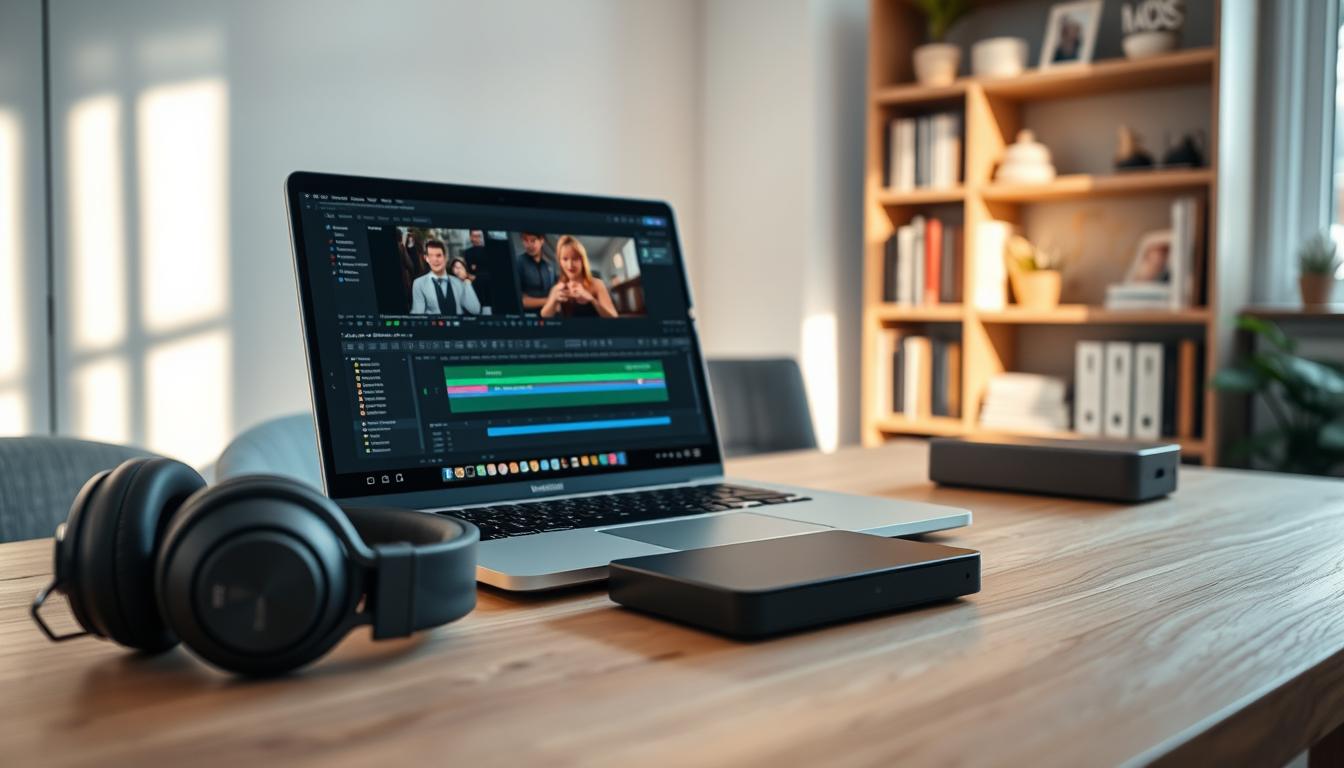
As a professional in the video editing industry, I’m excited to share my expertise with you in this comprehensive guide to choosing the right laptop for your video editing needs in 2025. Whether you’re a hobbyist or a professional, selecting the right device can be daunting…
The key to making an informed decision lies in understanding the essential components that drive video editing performance. A suitable laptop can significantly enhance your productivity and overall editing experience.
With the rapid advancements in technology, laptops have become more powerful and capable of handling demanding video editing tasks. In this guide, we’ll explore the critical factors to consider when selecting a laptop for video editing.
Key Takeaways
- Understand the essential components that drive video editing performance.
- Learn how to choose the right laptop for your video editing needs.
- Discover top laptop recommendations for video editing in 2025.
- Explore the importance of software compatibility in video editing laptops.
- Find out how to balance performance and budget when selecting a video editing laptop.
The Evolving Landscape of Video Editing in 2025
As we step into 2025, the world of video editing continues to evolve at a rapid pace. The increasing demand for high-quality video content has driven significant advancements in video editing technology.
Current Trends in Video Content Creation
The rise of social media platforms and streaming services has led to an explosion in video content creation. As a result, there’s a growing need for video production laptops that can handle demanding editing tasks. Trends include the adoption of 4K and 8K resolutions, higher frame rates, and more complex visual effects.
How Requirements Have Changed Since 2024
Since 2024, the requirements for video editing laptops have become more stringent. The need for more powerful processors, increased RAM, and advanced graphics cards has grown. Additionally, the importance of portability and display quality has become more pronounced as editors demand more from their mobile workstations.
Balancing Performance and Portability
One of the key challenges in choosing a 4k editing laptop is balancing performance and portability. Editors need laptops that can handle demanding tasks like 4K video editing while also being lightweight and portable. Manufacturers are responding by developing laptops with more efficient cooling systems and more powerful, yet power-efficient, components.
Essential Hardware Components for Video Editing Laptops
As a video editor, you’re likely aware that your laptop’s hardware is the backbone of your creative workflow. In this section, we’ll explore the critical components that make a laptop suitable for demanding video editing tasks.
Processors: Intel Core i9 vs. AMD Ryzen 9
The processor is the brain of your laptop, handling tasks such as video encoding and decoding. Both Intel Core i9 and AMD Ryzen 9 are top-tier options, offering high performance and multiple cores. For instance, Adobe Premiere Pro and DaVinci Resolve, popular video editing software, heavily rely on multi-core processors to handle demanding tasks like 4K video editing.
Graphics Cards: NVIDIA RTX vs. AMD Radeon Pro
A dedicated graphics card is crucial for video editing, as it accelerates tasks like color grading and effects rendering. NVIDIA RTX and AMD Radeon Pro are leading choices, with NVIDIA’s RTX series offering advanced features like ray tracing and AI-enhanced rendering.
RAM and Storage Configurations
Adequate RAM and storage are vital for smooth video editing performance. The amount of RAM required depends on the project type, and storage solutions like SSDs offer faster data access.
Minimum RAM Requirements by Project Type
| Project Type | Minimum RAM |
|---|---|
| 1080p Editing | 16 GB |
| 4K Editing | 32 GB |
| 8K Editing | 64 GB |
SSD vs. Hybrid Storage Solutions
SSDs provide faster data access, while hybrid solutions offer larger storage capacities. For video editing, a combination of both is ideal.
Display Quality and Color Accuracy
A high-quality display with accurate color representation is essential for video editors. Look for laptops with 4K or HDR displays, which offer superior color accuracy and detail.
Software Compatibility and Optimization
Software compatibility is a critical factor in selecting a video editing laptop, as different applications have unique system requirements. As a video editor, the software you use is just as important as the hardware.
Adobe Premiere Pro System Requirements
For Adobe Premiere Pro, a minimum of 8GB RAM is recommended, but 16GB or more is ideal for smoother performance, especially with 4K footage. A multi-core processor, such as Intel Core i7 or AMD Ryzen 7, is also crucial. Additionally, a dedicated NVIDIA GeForce or AMD Radeon graphics card can significantly enhance performance.
DaVinci Resolve Performance Considerations
DaVinci Resolve is known for its demanding system requirements. It benefits greatly from high RAM and a powerful GPU. For optimal performance, consider a laptop with at least 16GB RAM and a dedicated GPU like the NVIDIA RTX series.
Final Cut Pro and Apple Ecosystem Integration
For those invested in the Apple ecosystem, Final Cut Pro offers seamless integration with other Apple applications. It requires macOS 11.5 or later and benefits from Apple’s M1 or M2 chips, which provide excellent performance and efficiency.
After Effects and Motion Graphics Demands
After Effects is another demanding application, particularly when working with complex motion graphics. A multi-core CPU and ample RAM are essential. For heavy users, consider a laptop with up to 64GB RAM and a high-end GPU for faster rendering.
By understanding the system requirements of your preferred video editing software, you can choose a laptop that meets your needs, ensuring a smooth and efficient editing experience.
Best Laptops for Video Editing in 2025
As we dive into 2025, the demand for powerful video editing laptops has never been higher. With the increasing complexity of video editing software and the need for faster rendering times, having the right laptop is crucial for professionals and hobbyists alike.
Professional-Grade Powerhouses
For top-tier video editors, performance is paramount. Laptops in this category offer the highest level of processing power, memory, and storage.
Dell XPS 17 and Precision Series
The Dell XPS 17 is a powerhouse, featuring up to 64GB of RAM and NVIDIA RTX 4080 graphics, making it ideal for 4K editing. The Precision series offers even more robust configurations, tailored for professional video editing workloads.
Apple MacBook Pro 16-inch M3 Max
Apple’s MacBook Pro with the M3 Max chip delivers exceptional performance for video editors using Final Cut Pro and other Apple ecosystem software. Its high-resolution display and advanced cooling system make it a top choice.
MSI Creator Z17 HX Studio
The MSI Creator Z17 HX Studio is designed for creators, offering a 17-inch 4K UHD display, Intel Core i9 processor, and NVIDIA GeForce RTX 4090 graphics. It’s a beast for video editing and rendering.
Mid-Range Performers
Not everyone needs the absolute highest performance. Mid-range laptops offer a balance between power and affordability.
ASUS ProArt StudioBook 16
The ASUS ProArt StudioBook 16 is a versatile option, featuring a 16-inch 4K display, Intel Core i7 processor, and NVIDIA RTX 4060 graphics. It’s perfect for 4K video editing and color grading.
Lenovo ThinkPad P16
The Lenovo ThinkPad P16 offers robust performance with its AMD Ryzen 9 processor and NVIDIA RTX 5000 graphics. It’s designed for professionals who need reliable performance on the go.
Acer ConceptD 7
The Acer ConceptD 7 is tailored for creators, with a 16-inch UHD display, Intel Core i9 processor, and NVIDIA GeForce RTX 3080 Ti graphics. It’s a solid choice for demanding video editing tasks.
Budget-Friendly Options Under $1200
For those on a tighter budget, there are still excellent options available for under $1200.
HP Envy 16
The HP Envy 16 offers a great balance of performance and price, featuring a 16-inch display, AMD Ryzen 7 processor, and NVIDIA GeForce RTX 3050 graphics.
Dell G16 Gaming Laptop
The Dell G16 Gaming Laptop, while designed for gaming, is also suitable for video editing. It features a 16-inch display, Intel Core i7 processor, and NVIDIA GeForce RTX 3060 graphics, making it a cost-effective option.
When choosing a laptop for video editing, consider your specific needs, including the type of software you’ll be using and the level of performance required. The laptops listed above are among the best in their respective categories.

| Laptop Model | Processor | Graphics Card | RAM | Price Range |
|---|---|---|---|---|
| Dell XPS 17 | Intel Core i9 | NVIDIA RTX 4080 | Up to 64GB | $2,000-$3,000 |
| Apple MacBook Pro 16-inch M3 Max | Apple M3 Max | Integrated | Up to 128GB | $2,500-$4,000 |
| MSI Creator Z17 HX Studio | Intel Core i9 | NVIDIA GeForce RTX 4090 | Up to 128GB | $2,500-$4,500 |
| ASUS ProArt StudioBook 16 | Intel Core i7 | NVIDIA RTX 4060 | Up to 64GB | $1,500-$2,500 |
| HP Envy 16 | AMD Ryzen 7 | NVIDIA GeForce RTX 3050 | Up to 32GB | $800-$1,200 |
Specialized Features for 4K and 8K Editing
As we dive into 2025, the demands of 4K and 8K video editing are driving innovation in laptop technology. To handle these high-resolution formats, laptops are being equipped with specialized features that enhance performance, connectivity, and display quality.
Advanced Cooling Systems and Thermal Design
Laptops designed for 4K and 8K editing often feature advanced cooling systems to prevent thermal throttling during intense video processing. These systems include dual fans, liquid metal thermal compounds, and sophisticated heat pipe designs. For instance, some high-end laptops now incorporate vapor chambers to efficiently dissipate heat, ensuring consistent performance during long editing sessions.
Thunderbolt 4 and USB-C Connectivity
Thunderbolt 4 and USB-C ports have become essential for video editing laptops, offering high-speed data transfer and connectivity to external devices. These ports enable editors to transfer large video files quickly and connect to external GPUs or storage solutions, enhancing overall productivity.
External GPU Compatibility
External GPU (eGPU) compatibility is a crucial feature for laptops used in 4K and 8K editing. eGPUs provide additional graphics processing power, significantly improving rendering times and overall system performance. Laptops with Thunderbolt 4 ports can leverage eGPUs, making them ideal for demanding video editing tasks.
High-Refresh Displays and HDR Support
High-refresh displays and HDR (High Dynamic Range) support are vital for a seamless video editing experience. Laptops with these features offer smoother playback and more accurate color representation, which are essential for precise video editing. HDR support, in particular, allows editors to work with content that has a wider color gamut and higher contrast ratio.
Apple Silicon vs. Windows for Video Production
In the realm of video production, the Apple Silicon vs. Windows debate centers on performance, compatibility, and ecosystem preferences. As professionals seek the ideal video editing laptop, understanding the strengths of each platform is crucial.
M3 Pro/Max Performance Analysis
Apple’s M3 Pro and Max chips have revolutionized the video editing landscape with their impressive performance and power efficiency. These processors offer significant improvements in both CPU and GPU tasks, making them ideal for demanding video editing applications. For instance, the M3 Max chip can handle complex projects with multiple 4K video streams and effects, providing a seamless editing experience.
- Enhanced performance for video encoding and decoding
- Improved power efficiency for longer battery life
- Unified memory architecture for faster data access
Windows Alternatives with Intel 13th/14th Gen and RTX 40-Series
Windows laptops equipped with Intel’s 13th and 14th Gen processors and NVIDIA’s RTX 40-Series graphics cards offer formidable competition to Apple’s offerings. These Windows alternatives provide a wide range of configurations, catering to various budgets and performance needs. For example, a laptop with an Intel Core i9-13900H processor and an NVIDIA RTX 4080 GPU can handle demanding video editing tasks, including 8K video editing and 3D rendering.
When choosing a premiere pro laptop, Windows users can benefit from:
- Customizable hardware configurations
- Wide compatibility with various software and peripherals
- Competitive pricing across different market segments
Software Ecosystem Considerations
The choice between Apple Silicon and Windows also depends on the software ecosystem. Different video editing software has varying levels of optimization for each platform.
macOS Advantages for Final Cut Users
For users of Final Cut Pro, Apple’s ecosystem offers seamless integration and optimized performance. The software is designed to leverage the M3 Pro/Max chips’ capabilities, providing a smooth and efficient editing experience.
“Final Cut Pro on Apple Silicon Macs delivers unparalleled performance and efficiency, making it an ideal choice for professional video editors.”
Windows Benefits for Adobe Creative Cloud
On the other hand, Windows users who rely on Adobe Creative Cloud, particularly Premiere Pro, can benefit from the extensive hardware compatibility and customization options available. This flexibility is crucial for professionals who require specific hardware configurations for their workflow.
Portable Options for On-the-Go Video Editors
I’ve found that the most versatile laptops for video editing are those that balance performance and mobility. As a video editor, having the right tool for the job is crucial, especially when working on location or collaborating with teams across different environments.
Ultraportable Powerhouses
The market offers several excellent options that combine power and portability. Two standout devices are the MacBook Air M3 and the Microsoft Surface Laptop Studio 2.
MacBook Air M3 Capabilities
The MacBook Air M3 is a game-changer for video editors who prefer the Apple ecosystem. With its M3 chip, it delivers a significant boost in performance, making it capable of handling demanding video editing tasks. The improved GPU supports up to 8K video editing, a feature that’s particularly valuable for professionals working with high-resolution footage.
Microsoft Surface Laptop Studio 2
The Microsoft Surface Laptop Studio 2 is another powerful option, offering flexibility with its Intel 13th Gen processors and NVIDIA GeForce RTX 4060 GPU. Its unique design allows for various usage modes, making it adaptable to different editing scenarios.
| Feature | MacBook Air M3 | Surface Laptop Studio 2 |
|---|---|---|
| Processor | M3 | Intel 13th Gen |
| GPU | Integrated | NVIDIA GeForce RTX 4060 |
Battery Life Optimization Techniques
To maximize battery life, video editors can employ several strategies. Lowering the screen brightness, closing unnecessary applications, and using power-efficient editing software can significantly extend the laptop’s operational time. Additionally, investing in a portable power bank can provide extra power on the go.
“The key to efficient video editing on the go is not just the laptop’s processing power, but also its ability to conserve energy without sacrificing performance.”
Accessories for Mobile Editing Workflow
Enhancing the mobile editing workflow involves more than just the laptop itself. Accessories like external SSDs, portable monitors, and ergonomic keyboards can greatly improve productivity. For instance, using an external SSD can speed up data transfer and access times, while a portable monitor can provide a larger workspace.
Future-Proofing Your Investment
With technology advancing rapidly, choosing a video editing laptop that can adapt to future demands is essential. As a video editor, you’re not just buying a device for today’s tasks; you’re investing in a tool that will serve you for years to come.
Upgrade Potential and Expandability
A key factor in future-proofing your video editing laptop is its upgrade potential. Laptops with user-replaceable components offer significant advantages.
User-Replaceable Components
Look for laptops with easily accessible RAM and storage. This allows you to upgrade these components as needed, extending the laptop’s lifespan. For instance, laptops with SO-DIMM RAM slots and M.2 NVMe storage are ideal for future upgrades.
External Expansion Options
Consider laptops with versatile ports, such as Thunderbolt 4 or USB-C, which enable external GPU (eGPU) connectivity and other expansion options. This flexibility is crucial for adapting to new technologies.
Emerging Technologies to Consider
Keep an eye on emerging technologies like AI-enhanced editing software, 8K video editing capabilities, and advanced compression algorithms. Laptops with robust processors and ample storage will be better equipped to handle these advancements.
Expected Lifespan for Different Price Points
The lifespan of your video editing laptop is closely tied to its initial price. Generally, laptops under $1000 may last 2-3 years, while those in the $1500-$2500 range can serve you well for 4-5 years. High-end models above $3000 can remain relevant for 5 years or more, thanks to their advanced hardware and upgrade capabilities.
By considering these factors, you can make an informed decision when selecting a video editing laptop that will meet your needs both now and in the future.
Conclusion: Making the Right Choice for Your Video Editing Needs
Choosing the right laptop for video editing in 2025 requires a thoughtful approach, considering both your specific needs and budget. As we’ve explored, understanding the essential hardware and software components is crucial. Whether you’re working with Adobe Premiere Pro or DaVinci Resolve, selecting a laptop that meets the software’s system requirements is vital for a seamless editing experience.
When searching for the best laptops for video editing, consider models optimized for Premiere Pro or DaVinci Resolve. For instance, a davinci resolve laptop should have a strong processor and ample RAM to handle demanding tasks. Similarly, a premiere pro laptop benefits from NVIDIA RTX graphics cards for accelerated performance.
Ultimately, the best laptop for you will balance performance, portability, and price. By considering factors such as processor, graphics card, RAM, and display quality, you can find a laptop that meets your video editing needs. Whether you’re a hobbyist or a professional, investing in the right laptop will enhance your editing workflow and help you produce high-quality content.



